Text Generation AI Images: How Models Solved Their Biggest Embarrassment
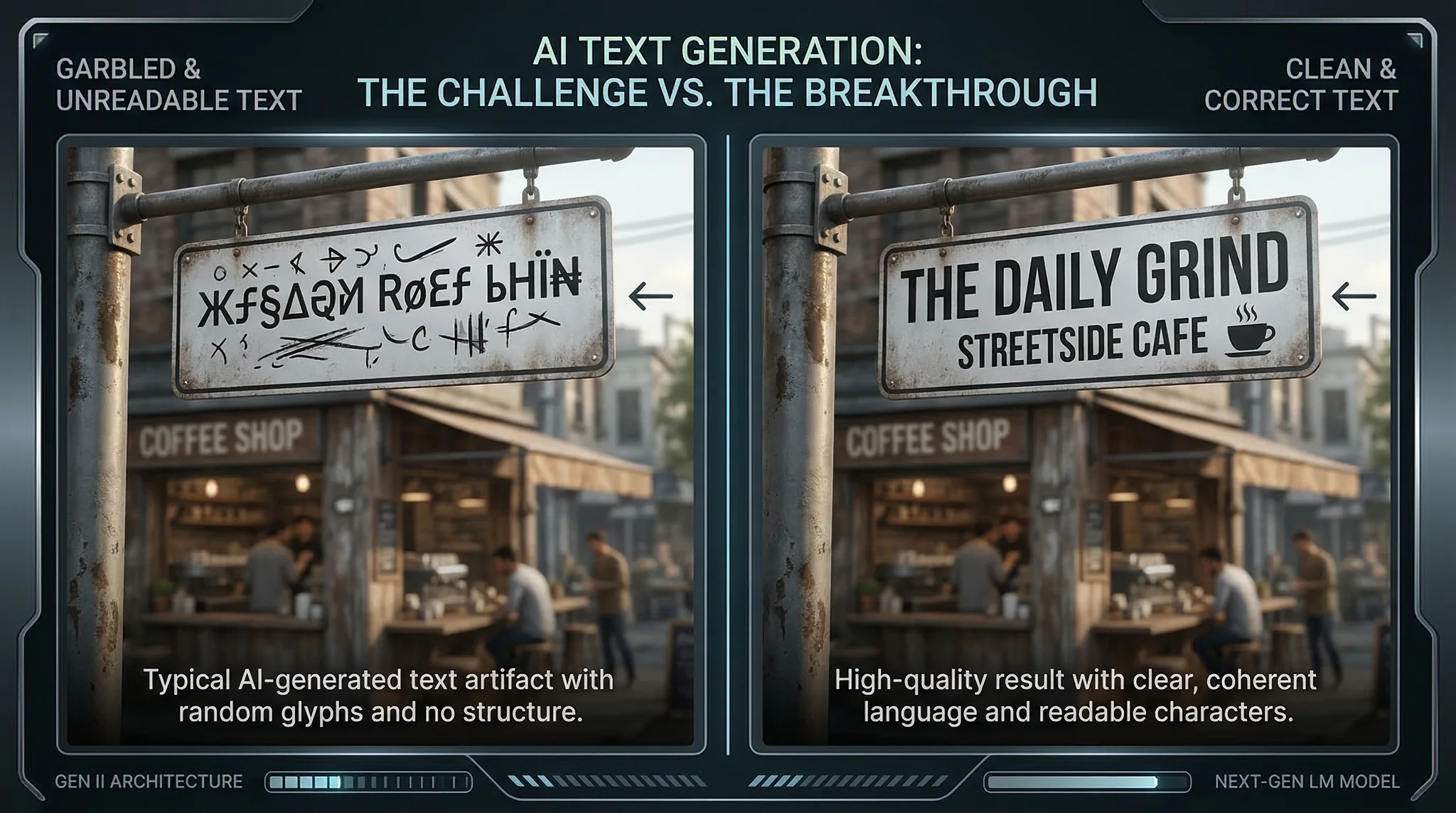
Text generation AI images was the running joke of the generative AI world for three solid years. From 2022 through most of 2025, even the most powerful image models could produce breathtaking photorealistic scenes, stunning artistic compositions, and convincing human faces—but ask them to write “HELLO” on a sign and you’d get “HLEOL” or “HFLLO” or something entirely unintelligible. It was the Achilles heel that made every AI-generated storefront, book cover, and product label look obviously fake.
In, that joke stopped being funny—because the problem got solved. Leading models now render text with reliable accuracy across a range of fonts, sizes, and visual contexts. This single capability has unlocked entire categories of practical AI image generation that were previously impractical: social media graphics, poster designs, product mockups, memes, signage visualization, and marketing materials that require readable text as a core element.
Understanding how this breakthrough happened and how to use it effectively is essential for creators working with AI image generation today.
Why Text Was So Hard for AI Image Models
The difficulty of text rendering in AI-generated images stems from a fundamental mismatch between how diffusion models process images and how text works visually.
Diffusion models learn to generate images by understanding visual patterns—textures, shapes, gradients, spatial relationships. They learn that skies are blue, grass is green, and faces have eyes above noses. These are statistical patterns in pixel space that the model captures during training.
Text, however, is a symbolic system. The letter “A” isn’t a natural visual pattern like a cloud or a tree—it’s an arbitrary symbol whose meaning depends on its exact shape. A slight variation in a cloud’s shape is still recognizably a cloud. A slight variation in the letter “A” might make it look like “H” or “R” or nonsense.
Spelling requires sequential logic. To render “RESTAURANT” correctly, the model needs to produce 10 specific symbols in the exact right order. Each letter depends on the previous one. Traditional diffusion models generate all parts of an image simultaneously rather than sequentially, making ordered sequences of specific symbols exceptionally challenging.
Character-level precision is unforgiving. If a model generates a face where the eyes are 3 percent wider than typical, nobody notices. If it generates the letter “E” with 3 percent too much curvature, it becomes a “B” or nonsense. The tolerance for variation in text rendering is essentially zero compared to natural image elements.
Training data distribution is skewed. In the billions of images used to train AI models, text appears in widely varying fonts, sizes, orientations, and contexts. The model sees “A” rendered in thousands of different ways and struggles to converge on a precise, generalizable representation of each character.
The Three Breakthroughs That Fixed Text Rendering
1. Character-Level Tokenization in Image Models
The most significant breakthrough was architectural. Researchers developed methods to encode text content at the character level within the image generation pipeline, rather than relying on the text encoder (typically CLIP) to communicate text content through its embedding space.
In earlier models, a prompt like “a sign that says OPEN” was processed by the text encoder into an embedding that captured the semantic meaning of the prompt but didn’t explicitly encode the individual characters O-P-E-N. The model understood “sign” and “text” as visual concepts but had no reliable mechanism for specifying exact characters.
New architectures include a dedicated text rendering module that receives the specific characters to render as a structured input, separate from the general prompt embedding. This module is trained specifically on text rendering and operates with character-level precision.
2. Glyph-Aware Training Datasets
Specialized training datasets focusing on high-quality text rendering were developed to fine-tune the text rendering capabilities of general-purpose models. These datasets include millions of images with clearly rendered text in various fonts, sizes, colors, and contexts—each precisely labeled with the exact text content.
By training specifically on these glyph-aware datasets, models developed much more reliable character rendering. The key insight was that text rendering is a learnable skill that benefits from focused training rather than hoping it emerges from general image training.
3. Iterative Refinement for Text Regions
Some models now apply additional refinement steps specifically to regions of the image identified as containing text. After the initial image generation, a secondary process evaluates the rendered text against the intended string and applies corrections where characters are malformed or incorrect.
This approach is conceptually similar to how spell-checking works in word processors—the model generates its best attempt, then checks and corrects specific text regions. The result is significantly higher accuracy, particularly for longer text strings where even one incorrect character ruins the output.
Current Capabilities and Limitations
What Works Reliably
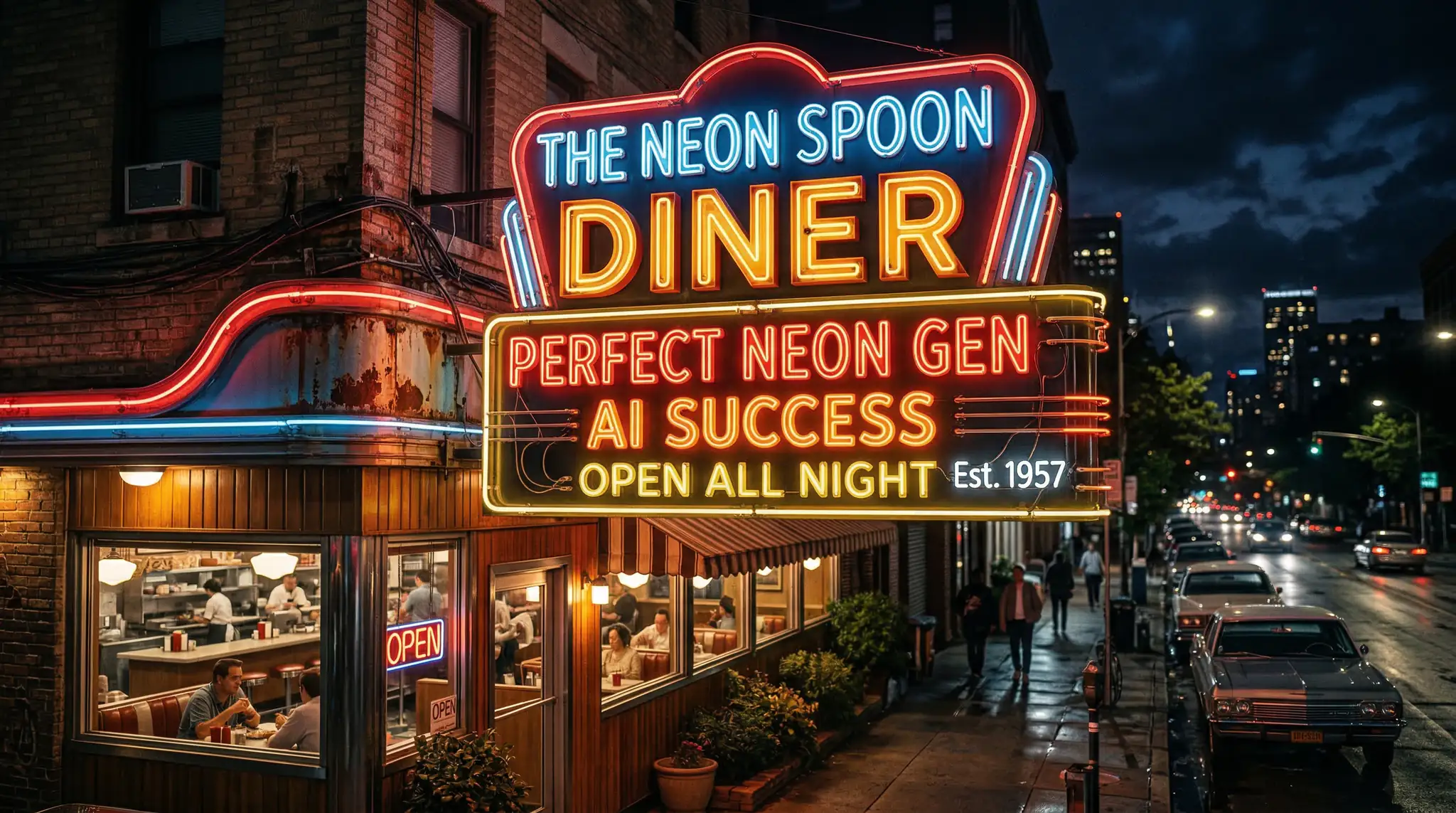
Short text (1-5 words): Single words, short phrases, and headlines render with high reliability across leading models. “SALE,” “OPEN,” “COFFEE SHOP,” and similar short strings produce correct text in the vast majority of generations.
Standard Latin characters: Letters A-Z (uppercase and lowercase), numbers 0-9, and common punctuation marks render accurately. Most models handle these with 90 percent or better accuracy for short strings.
Large text elements: Text that occupies a significant portion of the image—signs, banners, titles—renders more reliably than small text. The model allocates more visual processing to larger elements, improving character accuracy.
Common fonts: Sans-serif and serif fonts that appear frequently in training data (similar to Helvetica, Times, Arial) render most accurately. The model has seen these letterforms millions of times and reproduces them reliably.
What Still Challenges Models
Long strings (10+ characters): Accuracy decreases with text length. A 3-word headline might render correctly 95 percent of the time, while a full sentence might only render correctly 60 to 70 percent of the time. Longer strings have more opportunities for individual character errors.
Small text: Text that appears small within the image—fine print, distant signage, background text—is less reliable than large, prominent text. The limited pixel resolution allocated to small text makes precise character rendering physically difficult.
Non-Latin scripts: While Chinese, Japanese, Korean, Arabic, and Cyrillic text rendering has improved, accuracy rates are generally lower than for Latin characters. This reflects both the complexity of these writing systems and their lower representation in training data.
Decorative and unusual fonts: Script fonts, blackletter, handwritten styles, and highly decorative typography have lower accuracy rates than standard fonts. The model’s character recognition becomes less reliable as letterforms deviate from standard shapes.
Curved or perspective text: Text rendered along curves, at steep angles, or in strong perspective is less reliable than straight, front-facing text. The additional spatial transformation required compounds character-level accuracy challenges.
Prompt Engineering for Accurate Text Rendering
Getting reliable text rendering from AI image models requires specific prompt strategies.
Specify text in quotes. Always put the exact text you want in quotation marks within your prompt. “A sign that reads ‘OPEN 24 HOURS'” is more reliable than “a sign that says open twenty-four hours.”
Keep text short. When possible, limit text in your images to 1-5 words. If you need more text, consider generating multiple images with different text segments rather than one image with a paragraph.
Specify font characteristics. Adding “bold sans-serif text” or “clean block letters” to your prompt guides the model toward letterforms that render most accurately. Avoid prompting for script or handwritten text unless you’re willing to accept some character errors.
Make text the focal point. Prompts where text is the primary visual element produce more reliable results than prompts where text is a secondary detail. “A poster with large text reading ‘SUMMER SALE'” works better than “a busy street scene with a small sign in the background.”
Generate multiple versions. Even with improved accuracy, text rendering isn’t perfect. Generate 3 to 5 variations and select the one with the best text rendering. Tools like Vidzy make this multi-generation workflow fast and efficient.
Model Comparison for Text Rendering
Not all models handle text equally well. Here’s how the major options compare currently.
Flux models offer the strongest overall text rendering among open-weight models. The Pro and Dev variants handle short to medium text strings with high reliability, and the community has developed LoRA models specifically optimized for text rendering.
DALL-E 3 pioneered improved text rendering among closed-source models, and subsequent versions have continued to improve. It handles text with good accuracy for short strings and offers consistent font rendering.
Midjourney v6 and v7 improved text rendering significantly compared to earlier versions but remain slightly less reliable than Flux and DALL-E for precise text reproduction.
Ideogram was specifically designed with text rendering as a priority and delivers excellent results, particularly for typographic designs, logos, and text-heavy compositions.
Practical Applications Now Possible
Accurate text rendering has unlocked specific use cases that were previously impractical with AI image generation.
Social media graphics. Quote cards, announcement graphics, promotional banners, and event flyers with readable text can now be generated rather than designed in tools like Canva or Photoshop. The visual richness of AI-generated backgrounds combined with accurate text overlays produces scroll-stopping social content.
Product mockups. Packaging designs, label concepts, and branding mockups with actual product names and taglines can be generated for rapid concept testing. What previously required a graphic designer for each variation can now be explored through prompt iteration.
Meme creation. The internet’s primary currency—memes—can now be generated with accurate text placement. AI-generated meme templates with readable captions open new possibilities forsocial media content at scale.
Signage and environmental design. Interior designers, architects, and set designers can generate environment visualizations with accurate text on signs, menus, directories, and displays. These visualizations serve client presentations and concept development.
Book and album covers. Title text on AI-generated cover art can now be rendered accurately enough for concept exploration and sometimes for final production use, depending on complexity.
Frequently Asked Questions
Can AI image models render any text accurately now?
Short text (1-5 words) in standard fonts renders with high accuracy across leading models. Longer strings, unusual fonts, small text, and non-Latin scripts are improving but remain less reliable. For critical text accuracy, always generate multiple versions and select the best.
Which AI model is best for generating images with text?
Ideogram was designed specifically for text-heavy images and excels in that domain. Among general-purpose models, Flux and DALL-E 3 offer the strongest text rendering. The best choice depends on your overall quality needs—text accuracy is one factor alongside style, photorealism, and other capabilities.
Why do AI models still sometimes misspell words?
While architectural improvements have dramatically improved text accuracy, the fundamental challenge remains: diffusion models generate images holistically rather than sequentially. Each character must be rendered in the correct shape at the correct position simultaneously, and the tolerance for error is extremely low. Longer strings compound this challenge.
Can I fix text errors in AI-generated images without regenerating?
Yes. Inpainting—regenerating a specific region of an image while keeping the rest unchanged—can be used to fix text errors. Many platforms support targeted inpainting of text regions, allowing you to correct individual characters without regenerating the entire image.
Create Visual Content with Perfect Text
The days of AI images with garbled text are behind us. Generate stunning visuals with accurate, readable text using Vidzy—from social media graphics to marketing materials, your text will be as sharp as your creative vision.
James Okafor is a tech journalist covering the AI generation space. With bylines in TechCrunch and The Verge, he brings an analytical lens to AI model reviews, industry trends, and the evolving landscape of creative AI tools.
AI Video Generation History: From Blurry Pixels to Cinematic Brilliance The story of AI video generation history reads like science fiction compressed into just four years. What began as stuttering, seconds-long clips of barely recognizable shapes in 2022 has evolved into a technology capable of producing photorealistic, minute-long cinematic sequences by recently. This transformation didn’t […]
AI Video Social Media Impact: The Platform Transformation The AI video social media impact today has been nothing short of seismic. Every major platform—TikTok, Instagram, YouTube, X, and LinkedIn—has been reshaped by the flood of AI-generated video content that became mainstream this year. Algorithms have adapted, creator strategies have shifted, audience expectations have evolved, and […]
AI Video Trends: Five Shifts That Will Reshape Content Creation Predicting AI video trends requires looking beyond incremental quality improvements and examining the structural shifts that will fundamentally change how video content is conceived, produced, and consumed. The pace of advancement from 2024 through gives us a reliable trajectory, and the research papers, prototype demonstrations, […]
James Okafor
8 min read
Your Next Video Is 30 Seconds Away
Download Vidzy free, pick a template, and create your first video right now.