Your LinkedIn photo is your digital first impression — and research shows profiles with professional headshots receive up to 14 times more views than those without. But professional headshot sessions are expensive, time-consuming, and often stressful. AI LinkedIn photo prompts offer a modern alternative: generate polished, professional-looking headshots that project competence, approachability, and confidence — all without stepping in front of a camera.
This guide provides carefully engineered prompts for every professional context: corporate executive portraits, creative industry headshots, entrepreneurial branding photos, and academic profiles. Each prompt is designed with the specific lighting, composition, and styling details that LinkedIn’s algorithm and human viewers respond to best. These AI linkedin photo prompts are designed for professional results.
What Makes a Great AI LinkedIn Photo Prompt
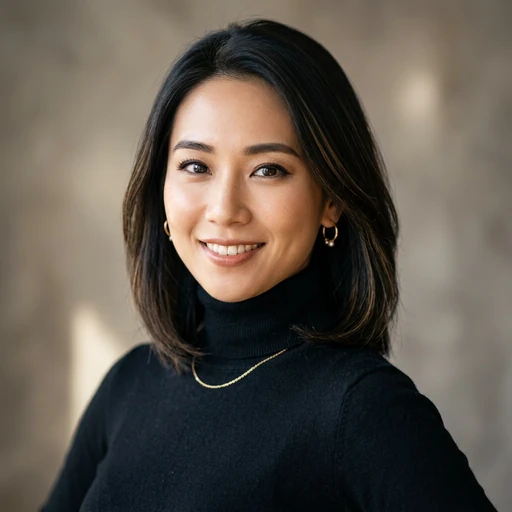
LinkedIn’s own data reveals what works in profile photos: your face should fill about 60% of the frame, the background should be simple and uncluttered, lighting should be even and flattering, and your expression should convey approachability. When crafting AI LinkedIn photo prompts, these principles translate into specific technical parameters. Using the right AI linkedin photo prompts makes all the difference in your output quality.
The best LinkedIn photos look professional without looking stiff. They project confidence without arrogance, warmth without casualness. The prompts below balance these qualities through careful attention to expression, lighting, wardrobe, and background choices. With these AI linkedin photo prompts, you can achieve stunning results every time.
Corporate & Executive Headshot Prompts
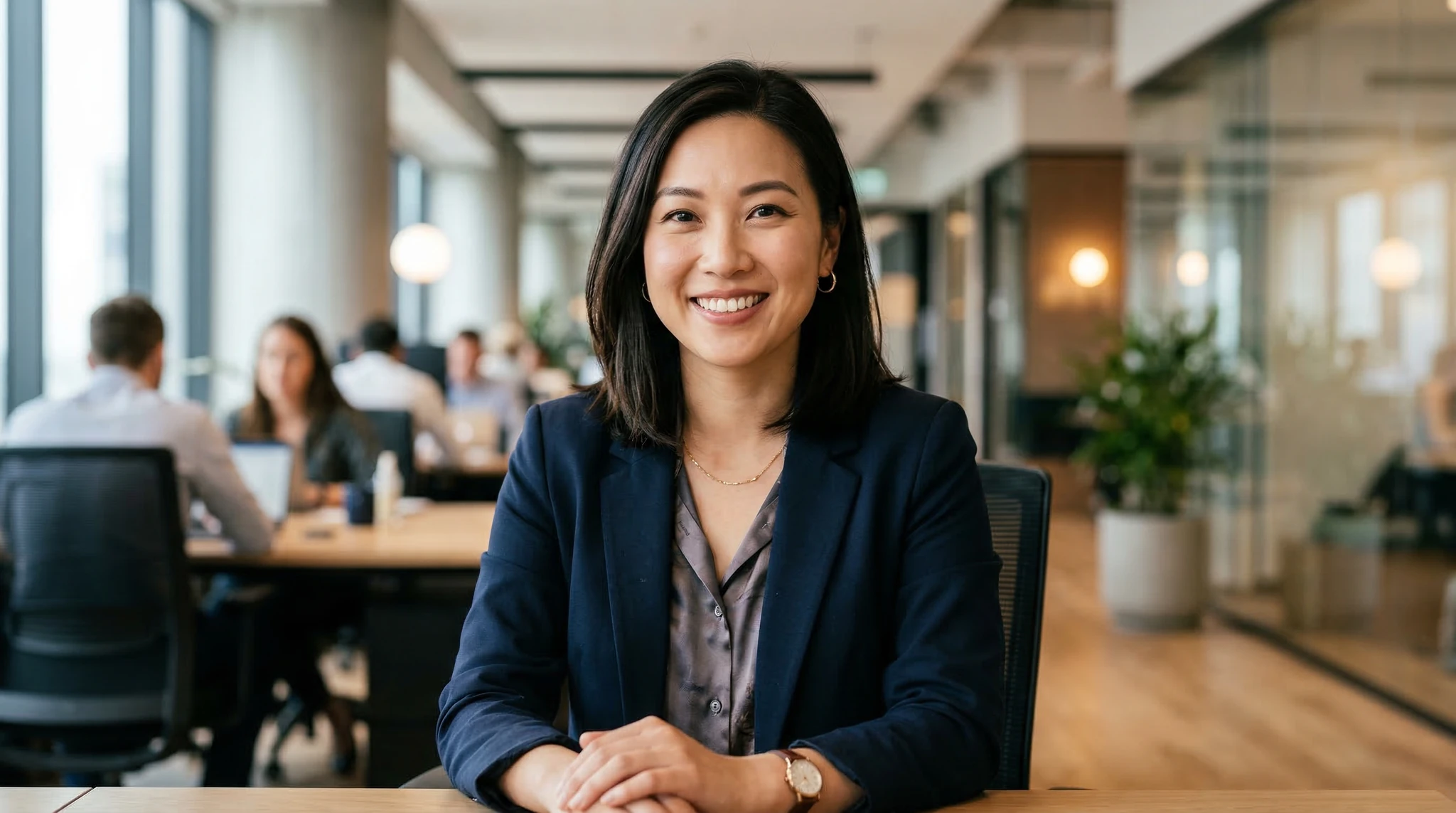
Clean, polished headshots for corporate professionals, executives, and anyone in traditional business environments. These prompts create the kind of images you’d get from a high-end headshot studio. Master AI linkedin photo prompts to take your AI generation to the next level.
Professional corporate headshot of a man in his 40s wearing a charcoal gray suit with a crisp white dress shirt and subtle navy tie, head and shoulders framing, slight three-quarter angle turn to the right, warm confident smile with closed mouth, soft studio lighting with a large key light from the front-left and subtle fill light to reduce shadows, clean medium gray gradient background, sharp focus on eyes, 85mm portrait lens at f/4, commercial headshot photography for executive LinkedIn profile The best AI linkedin photo prompts combine technical precision with creative vision.
Professional LinkedIn headshot of a woman in her 30s wearing a tailored black blazer over a jewel-tone emerald blouse, shoulders squared toward camera with head tilted very slightly, natural warm smile showing confidence and approachability, soft Rembrandt lighting with gentle shadow on one side of face, clean blurred office environment background in warm neutral tones, catchlights visible in eyes, 105mm portrait lens, Fortune 500 executive portrait quality These AI linkedin photo prompts are designed for professional results.
Polished executive headshot of a silver-haired man in a navy blue suit with a subtle windowpane pattern and a light blue pocket square, direct gaze at camera with a distinguished confident expression, butterfly lighting setup creating even illumination with a subtle shadow under the chin, cream-toned seamless studio backdrop, head and shoulders tight crop, sharp detail on facial features, 70mm lens at f/5.6, C-suite executive portrait for LinkedIn and corporate website Using the right AI linkedin photo prompts makes all the difference in your output quality.
Creative & Tech Industry Headshot Prompts
Creative professionals, designers, and tech workers often prefer a more relaxed, approachable look that still reads as professional. These prompts strike that balance. With these AI linkedin photo prompts, you can achieve stunning results every time.
Modern professional headshot of a young woman in a minimalist black crew-neck top, slightly off-center composition with negative space on the left, natural warm expression with a slight genuine smile, soft window-style lighting from the right side creating gentle directional illumination, clean white wall background with subtle texture, contemporary fresh aesthetic, 50mm lens at f/2.8, tech startup founder LinkedIn portrait Master AI linkedin photo prompts to take your AI generation to the next level.
Casual-professional headshot of a man in his late 20s wearing a well-fitted dark henley shirt, leaning slightly forward with arms crossed at the lower edge of frame, friendly open smile, shot in a modern co-working space with blurred exposed brick and warm pendant lights in the background, natural and artificial mixed lighting, slightly wider crop showing upper chest, 85mm at f/2.2, approachable tech industry LinkedIn photo The best AI linkedin photo prompts combine technical precision with creative vision.
Creative professional headshot of a woman with short stylish hair wearing large round glasses and a rust-colored turtleneck, direct engaging eye contact with a knowing half-smile, editorial lighting with a beauty dish creating smooth even illumination, dark moody background transitioning from deep green to black, head tilted very slightly with relaxed shoulders, 90mm lens, design industry LinkedIn portrait with personality These AI linkedin photo prompts are designed for professional results.
Entrepreneur & Personal Brand Prompts
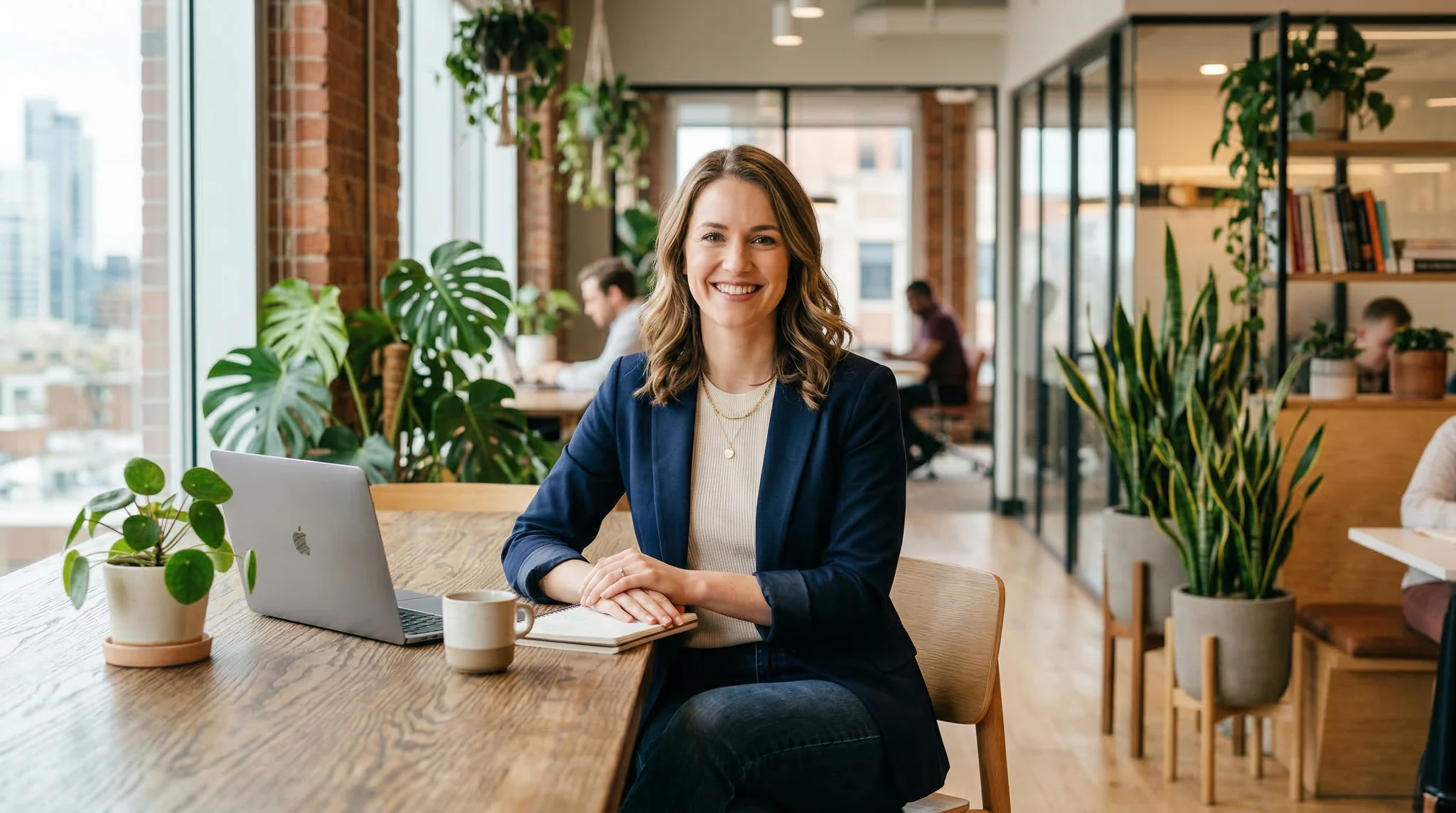
Entrepreneurs and personal brands need headshots that communicate vision, energy, and authenticity. These prompts create images that stand out in a feed while remaining professional. Using the right AI linkedin photo prompts makes all the difference in your output quality.
Dynamic professional portrait of a woman entrepreneur in a structured white blazer against a deep navy blue background, three-quarter body crop with one hand resting confidently on her hip, direct powerful gaze with a subtle confident smile, dramatic studio lighting with a strong key light from the front-left and a hair light separating her from the background, sharp high-contrast image, 85mm at f/3.5, personal brand LinkedIn headshot conveying leadership and authority With these AI linkedin photo prompts, you can achieve stunning results every time.
Warm approachable headshot of a male entrepreneur in a fitted dark navy sweater, shot in a bright modern office with large windows and green plants blurred in the background, natural daylight as the primary light source with soft fill, genuine relaxed smile suggesting openness and trustworthiness, slightly environmental composition showing him in his workspace context, 70mm lens at f/2.8, founder profile photo for LinkedIn and company about page Master AI linkedin photo prompts to take your AI generation to the next level.
Professional branding portrait of a woman in a camel cashmere sweater, standing in front of floor-to-ceiling bookshelves filled with books, soft warm ambient lighting from vintage brass desk lamp, intellectual yet approachable expression, upper body crop with one arm resting on a shelf, depth created by rows of colorful book spines fading into bokeh, 50mm at f/1.8, thought leader LinkedIn portrait with scholarly warmth The best AI linkedin photo prompts combine technical precision with creative vision.
Academic & Medical Professional Prompts
Professors, researchers, doctors, and other specialized professionals need headshots that communicate expertise and trustworthiness within their field.
Professional portrait of a female doctor in a crisp white lab coat over a light blue blouse, stethoscope around her neck, shot in a clean modern medical office, soft even lighting with no harsh shadows, warm reassuring smile conveying competence and empathy, clean blurred medical environment background, head and shoulders framing, 85mm portrait lens at f/4, medical professional LinkedIn headshot
Academic portrait of a male professor in his 50s wearing a tweed blazer with leather elbow patches over a chambray shirt with no tie, seated in a wood-paneled office with bookshelves behind him, reading glasses perched on his head, thoughtful intelligent expression with slight smile, warm side lighting from a window, books and papers slightly visible on his desk, 70mm lens, distinguished professor LinkedIn profile photo
LinkedIn Photo Optimization Tips
Beyond the prompt itself, here are principles that ensure your AI-generated LinkedIn photo performs well on the platform:
Face visibility is paramount: LinkedIn recommends your face occupy 60% of the frame. In your prompts, specify “head and shoulders framing” or “tight crop from upper chest to above the head” to achieve this. Avoid full-body or environmental shots.
Background simplicity wins: Cluttered backgrounds distract from your face. Use “clean studio backdrop,” “blurred office environment,” or “simple gradient background” in your prompts. Save the dramatic locations for other social platforms.
Wardrobe color matters: Solid colors photograph better than patterns. Dark colors (navy, charcoal, black) convey authority, while lighter colors (white, cream, light blue) project approachability. Avoid bright patterns or logos that compete with your face for attention.
Eye contact builds trust: Direct eye contact with the camera creates a connection with the viewer. Include “direct gaze at camera” or “looking straight into the lens” in your prompts unless you want a more candid editorial feel.
For additional headshot techniques, explore our AI headshot prompts guide and our AI portrait photography prompts collection for a wider range of portrait styles.
Frequently Asked Questions
Is it okay to use an AI-generated photo on LinkedIn?
LinkedIn’s terms of service require that profile photos be an accurate representation of you. AI-generated headshots that are based on your actual appearance (using AI enhancement tools) are widely accepted. Fully AI-generated images of fictional people may raise authenticity concerns. Use AI photos as reference images for real photo sessions, or use AI tools that enhance and stylize your existing photos.
What background color works best for LinkedIn photos?
Neutral backgrounds in gray, white, or soft blue perform best on LinkedIn. These colors don’t compete with your face for attention and work well with LinkedIn’s white and blue interface. Avoid bright colors, busy patterns, or overly dark backgrounds that make it hard to see your features in the small circular thumbnail.
Should I smile in my LinkedIn photo?
Research shows that LinkedIn photos with genuine smiles receive more positive responses than serious expressions. A natural, warm smile (not a wide grin) projects approachability and confidence. Include phrases like “warm confident smile” or “natural approachable expression” in your prompts to achieve this.
What resolution should my LinkedIn headshot be?
LinkedIn recommends profile photos between 400×400 and 7680×4320 pixels, with an ideal size of about 800×800 pixels. Most AI image generators produce images at 1024×1024 or higher, which is perfectly suitable. Square crops work best since LinkedIn displays profile photos in a circular frame.
Make Your First Impression Count
These AI LinkedIn photo prompts give you the tools to create professional headshots that project exactly the image you want — whether that’s corporate authority, creative energy, entrepreneurial vision, or academic expertise. Each prompt is engineered with the lighting, composition, and styling details that make headshots look polished and professional.
Ready to upgrade your professional image? Try Vidzy and create a LinkedIn headshot that makes recruiters, clients, and connections take notice — no studio appointment needed.