Why Motion Keywords Video Prompts Define Your AI Video Quality
The single biggest difference between amateur and professional AI-generated video comes down to motion. Static, lifeless scenes scream “AI-generated,” while videos with intentional, well-described movement feel cinematic and purposeful. Understanding motion keywords video prompts is the skill that separates generic clips from content that looks professionally directed.
AI video generators like Sora, Veo, Wan, and Vidzy interpret motion through specific language patterns. When you write “a dog running,” you get unpredictable results. When you write “a golden retriever galloping in slow motion across a sunlit meadow, legs fully extended mid-stride, fur rippling in the wind, camera tracking laterally at the same speed,” you get something cinematic.
This guide breaks down every category of motion language you need to master for professional AI video generation.
The Three Layers of Motion in Video Prompts
Every AI video prompt should address three distinct layers of motion:
1. Subject Motion — How the main subject moves within the frame
2. Camera Motion — How the virtual camera moves through the scene
3. Environmental Motion — How background elements move (wind, water, particles, light)
Most beginners describe only subject motion and ignore the other two layers. Professional prompts address all three, creating depth and visual richness that transforms a flat animation into a cinematic experience.
Subject Motion Keywords
Subject motion describes the physical movement of your main subject. Precision matters — the more specific your motion description, the more control you have over the output.
Speed keywords:
Slow / languid / drifting — gentle, unhurried movement
Steady / measured / deliberate — controlled, even pace
Quick / brisk / snapping — fast but controlled
Rapid / racing / bursting — explosive speed
Frozen mid-motion / suspended — implies motion while static
Here is a prompt demonstrating layered subject motion:
“A ballet dancer executing a slow pirouette, arms rising gradually from waist to overhead position, silk dress fabric trailing behind the rotation with a two-second delay, hair fanning outward from centrifugal force, movements fluid and controlled”
Camera Motion Keywords
Camera motion is where most AI video prompts fail. Without explicit camera direction, the generator defaults to static or unpredictable camera behavior. Here are the essential camera movements and their prompt language:
Tracking shots:
“Camera tracking laterally alongside a cyclist riding through autumn streets, maintaining constant distance, smooth dolly movement at subject speed”
Push in / pull out:
“Camera slowly pushing in toward a character’s face from medium shot to extreme close-up over five seconds, gradual zoom creating tension, shallow depth of field increasing”
Crane / jib movement:
“Camera rising vertically from street level past building facades to reveal the city skyline, continuous upward crane movement, golden hour lighting”
Orbit / arc:
“Camera orbiting 180 degrees around a marble sculpture, smooth circular dolly movement, maintaining eye-level height, dramatic side-lighting revealing form and shadow”
Handheld / documentary style:
“Handheld camera following a street musician through a crowded market, slight natural shake and drift, intimate documentary feel, shallow focus on subject with bokeh background”
Drone / aerial:
“Aerial drone shot descending from 200 feet above a coastal cliff, tilting down to reveal crashing waves below, smooth continuous descent, wide-angle perspective”
Environmental Motion Keywords
Environmental motion adds life and atmosphere to your scenes. These background movements make the difference between a flat render and an immersive world:
Atmospheric effects:
Dust motes drifting in sunbeams
Fog rolling slowly across the ground
Rain streaking diagonally across the frame
Snow falling gently with varying flake sizes
Smoke wisps curling upward and dissipating
Natural movement:
Leaves rustling in a gentle breeze
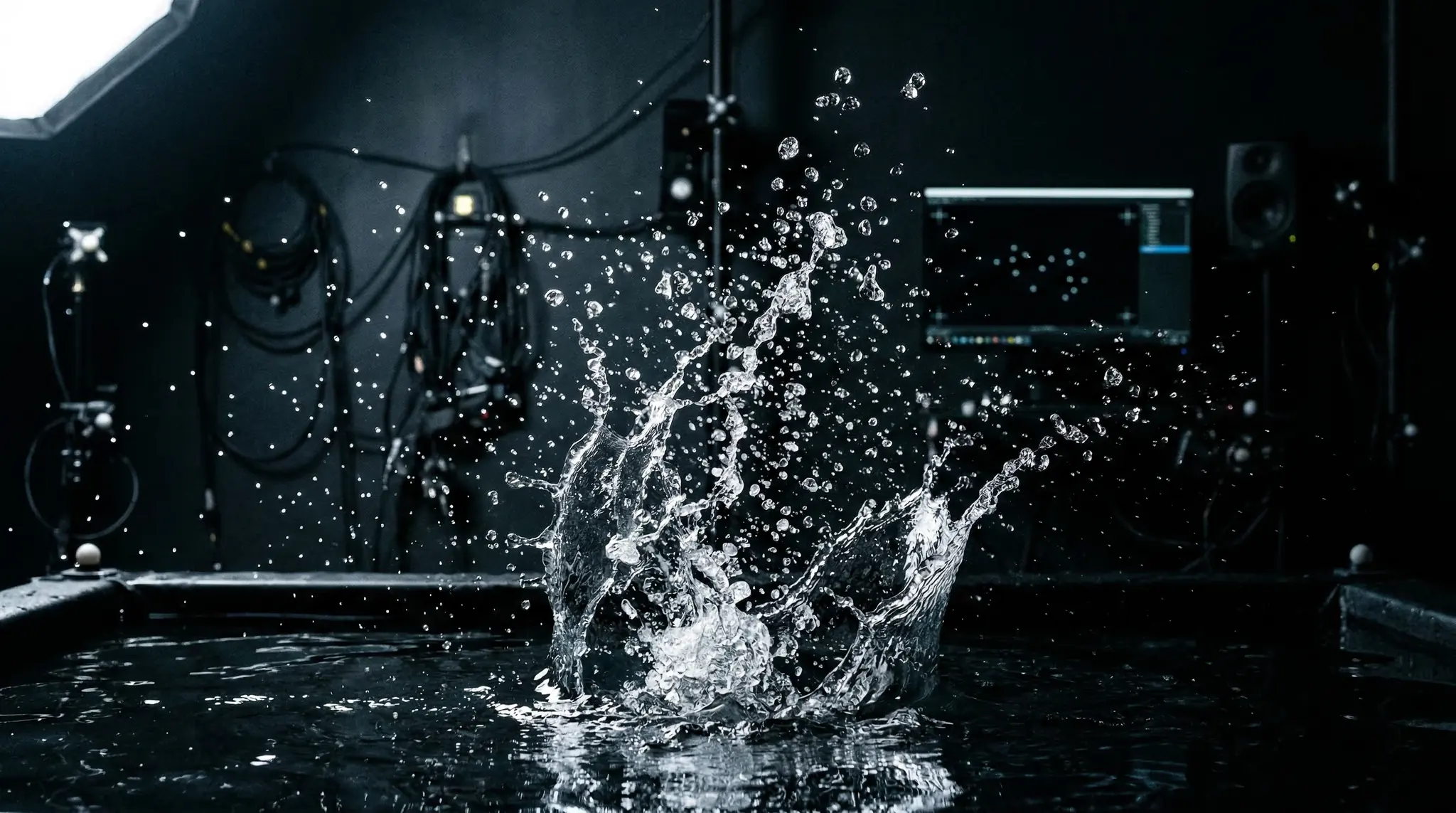
Water rippling outward from a disturbance
Clouds drifting across the sky in time-lapse
Grass swaying in waves from wind
Flames flickering and dancing in a campfire
Light movement:
Sunlight shifting as clouds pass overhead
Neon signs flickering with electrical buzz
Shadows lengthening as the sun sets
Light rays streaming through window blinds
Candlelight creating dancing shadows on walls
A complete environmental motion prompt looks like this:
“An abandoned library with dust motes floating in diagonal shafts of afternoon sunlight, curtains swaying gently from a breeze through a broken window, pages of an open book fluttering slowly, shadows of tree branches moving across the floor”
Temporal Keywords: Controlling Speed and Timing
Beyond what moves, you need to control how fast and when things move:
Slow motion: “Slow motion,” “120fps,” “time-dilated,” “stretched time,” “bullet-time”
Time-lapse: “Time-lapse,” “accelerated time,” “compressed hours,” “sped-up progression”
Speed ramping: “Starting in slow motion then accelerating to real-time,” “speed ramp from frozen to full speed,” “gradual deceleration into slow motion”
“A hummingbird hovering in extreme slow motion, wings visible mid-beat, individual feather iridescence catching the light, water droplets from a nearby fountain suspended in mid-air, then speed ramping to real-time as the bird darts away”
Combining All Three Motion Layers
The most effective motion keywords video prompts weave all three layers together. Here is a professional-level example:
“A samurai drawing a katana in slow motion (subject motion), camera orbiting from behind to a frontal three-quarter view (camera motion), cherry blossom petals drifting through the frame and lantern light flickering on wet stone (environmental motion), cinematic anamorphic lens flare, 2.39:1 aspect ratio”
Use Vidzy’s AI Prompt Generator to structure multi-layer motion prompts like this without missing any key elements.
Motion Styles by Genre
Different content genres call for different motion vocabularies:
Cinematic / film: Smooth dolly, crane, steady tracking, slow push-in, rack focus, shallow depth of field, fluid subject motion
Music video: Speed ramping, whip pans, strobe-like cuts, synchronized motion, dynamic camera energy, wide-angle distortion
Product showcase: Slow orbit, macro detail shots, smooth rotation, precise mechanical camera movements, floating product with gentle spin
Nature documentary: Patient observation, telephoto compression, smooth tracking of animals, time-lapse environmental changes, aerial reveals
Social media / dynamic: Quick cuts, vertical framing, energetic camera shake, fast subject motion, punchy transitions. For platform-specific guidance, check the Vidzy Video Sizes tool.
Common Motion Prompting Mistakes
No camera direction — Always specify how the camera moves, or it defaults to random or static behavior
Contradictory motion — Avoid “fast slow motion” or “static dynamic movement.” Be clear about speed and energy
Too many simultaneous motions — Three to four motion elements is the sweet spot. More than that and generators produce chaotic results
Vague speed references — “Moving” is not enough. Specify “walking,” “sprinting,” “drifting,” or “inching”
Ignoring physics — Even in stylized videos, motion that respects basic physics looks more convincing. Mention weight, momentum, and inertia
FAQ
What are the most important motion keywords for AI video prompts?
Camera motion keywords have the biggest impact on video quality. Terms like “smooth tracking shot,” “slow push-in,” “orbiting camera,” and “crane movement” tell the AI how to frame the action. Combine these with subject motion descriptions and environmental movement for professional results.
How do I get slow motion in AI-generated videos?
Use explicit terms: “slow motion,” “120fps playback,” “time-dilated,” or “bullet-time.” Describe what the slow motion reveals — individual water droplets, fabric rippling, hair flowing — to help the model understand the intended effect.
Can I control camera movement in Sora and other AI video generators?
Yes. All major AI video generators respond to cinematographic camera directions. Use terms from filmmaking: dolly, tracking, crane, orbit, push-in, pull-out, handheld, steadicam, and drone shot. The more specific your camera direction, the more predictable the result.
How many motion elements should I include in one prompt?
Aim for three to four distinct motion elements: one for the subject, one for the camera, and one or two for the environment. More than that risks chaotic output where the model tries to coordinate too many simultaneous movements.
Do motion keywords work differently across AI video models?
The core vocabulary is universal, but some models respond better to specific phrasing. Sora handles complex camera movements well. Wan excels at natural motion. Veo is strong with environmental effects. Test your motion prompts across models to find the best match for your needs.
Bring Your AI Videos to Life
Motion is the soul of video. Mastering motion keywords video prompts across all three layers — subject, camera, and environment — transforms your AI-generated content from static slides into cinematic sequences that captivate viewers.
Build motion-rich prompts with Vidzy’s Prompt Generator, or download Vidzy to generate professional AI videos with precise motion control directly from your iPhone.
Sarah Chen is a prompt engineer and AI content strategist with 5+ years in generative AI. Former ML researcher at Stanford, she now helps creators unlock the full potential of tools like Sora, Flux, and Nano Banana. She writes about prompt engineering, image generation techniques, and the future of AI creativity.
How Composition AI Prompts Elevate Your Generations The difference between an AI image that looks like a snapshot and one that looks like professional photography almost always comes down to composition. Understanding composition AI prompts — the specific keywords and phrases that control how elements are arranged within your frame — is one of the […]
Why AI Character Consistency Is the Biggest Challenge in AI Art Achieving AI character consistency across multiple images is one of the hardest problems in prompt engineering. You can create a stunning character portrait on your first try, but generating that same character again — in a different pose, setting, or scene — often produces […]
Mastering Prompt Weights Emphasis for Professional AI Results Understanding prompt weights emphasis is what separates casual AI users from professionals who consistently produce stunning results. Every word in your prompt carries weight — literally. AI models assign importance to each term, and learning to control that importance gives you precise creative control over your generations. […]
Sarah Chen
7 min read
Your Next Video Is 30 Seconds Away
Download Vidzy free, pick a template, and create your first video right now.