Master AI Studio Photoshoot Prompts for Breathtaking Portraits
Professional studio photography has long been the gold standard for portraits, headshots, and creative imagery. But what if you could recreate that polished studio look using nothing but carefully crafted AI studio photoshoot prompts? With the right text descriptions, AI image generators can produce portraits that rival the output of a professional photo studio — complete with controlled lighting, clean backdrops, and flattering compositions. Whether you are a content creator looking for profile imagery, a small business owner who needs promotional photos, or a designer prototyping visual concepts, these prompts will help you generate studio-quality portraits without booking a photographer, renting a studio, or spending hours in post-production. In this guide, you will find ready-to-use prompts for a range of studio portrait styles, from classic headshots to dramatic editorial looks. Each prompt is designed to give AI generators the specific technical direction they need to produce photorealistic, professional results.Why AI Studio Photoshoot Prompts Produce Better Results
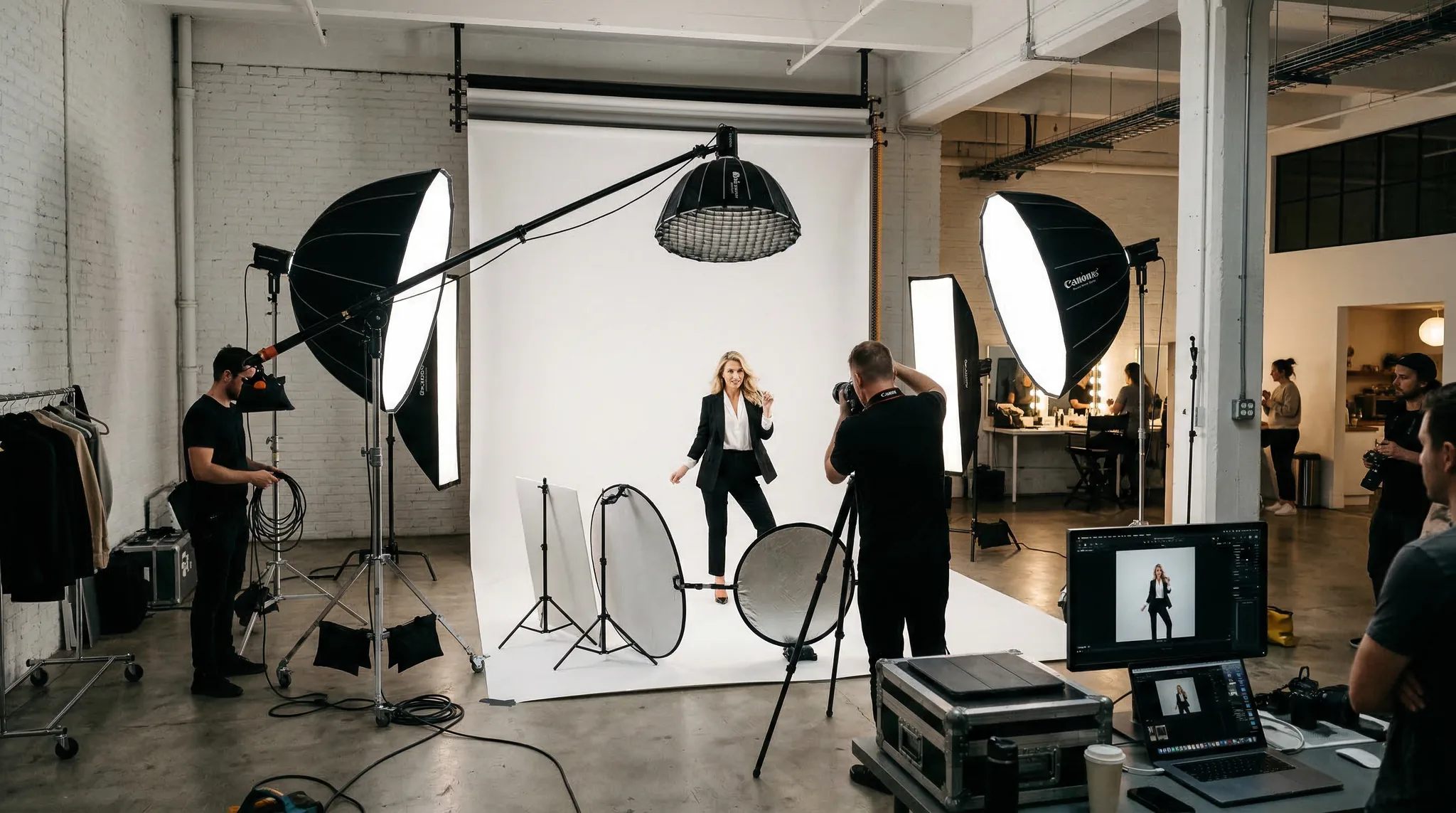
- Lighting setup: Specify the type, direction, and quality of light (softbox, beauty dish, rim light, etc.)
- Lens and focal length: An 85mm or 105mm portrait lens creates natural compression and beautiful bokeh
- Background: Seamless paper, muslin, gradient, or textured backdrop
- Subject description: Age range, expression, pose, wardrobe
- Post-processing style: Color grading, skin retouching level, overall mood
Classic Studio Portrait Prompts
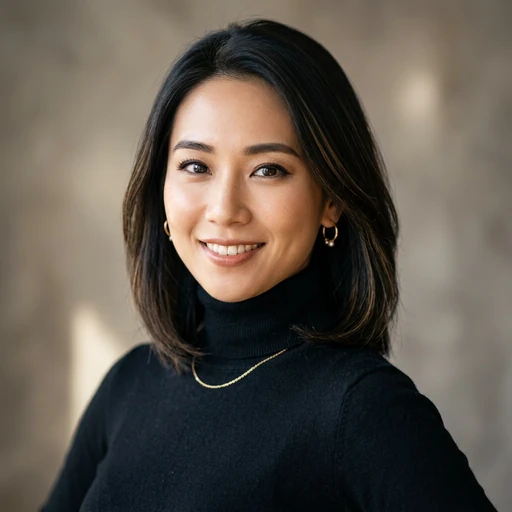
These prompts recreate the timeless look of a professional portrait studio with clean lighting and elegant composition.Prompt: “Professional studio portrait of a woman in her 30s, soft smile, wearing a navy blazer over a white blouse, shot with an 85mm f/1.4 lens at eye level, single softbox key light from 45 degrees camera left, white fill card on the right, seamless medium gray backdrop, shallow depth of field, natural skin texture, subtle color grading, 8K resolution, photorealistic”
Prompt: “Classic Rembrandt lighting studio portrait of a middle-aged man with a short beard, serious expression, wearing a charcoal turtleneck, dark olive green seamless background, single key light creating a triangle of light on the shadow-side cheek, slight rim light from behind, shot on a Canon EOS R5 with a 70-200mm lens at 135mm, cinematic color grading, ultra-detailed skin pores and texture” These AI studio photoshoot prompts are designed for professional results.
Prompt: “High-key studio portrait of a young woman with curly hair, joyful laughing expression, wearing a simple white t-shirt, pure white seamless background, two large softboxes creating even flat lighting, no harsh shadows, bright and airy mood, shot at f/2.8 on an 85mm lens, clean commercial photography style, photorealistic” Using the right AI studio photoshoot prompts makes all the difference in your output quality.
Dramatic and Editorial Studio Prompts
For more impactful visuals, these prompts use bold lighting techniques and creative compositions that you would find in magazine editorials.Prompt: “Dramatic low-key studio portrait of a man in his 40s, intense gaze directly at camera, wearing a black leather jacket, pure black background, single hard light source from above and camera right creating deep shadows, strong chiaroscuro effect, visible catchlights in eyes, shot on medium format Hasselblad, 110mm lens, moody cinematic color grade with desaturated tones, ultra photorealistic” With these AI studio photoshoot prompts, you can achieve stunning results every time.
Prompt: “Editorial beauty portrait of a woman with sleek pulled-back hair, bold red lipstick, flawless matte skin, beauty dish lighting from directly above with a silver reflector below chin, black seamless background, tight crop from shoulders up, extremely sharp focus on eyes, subtle specular highlights on cheekbones, Vogue magazine style, 8K photorealistic” Master AI studio photoshoot prompts to take your AI generation to the next level.
Prompt: “Split lighting studio portrait of a non-binary model with shaved head and striking bone structure, exactly half the face illuminated and half in shadow, single strobe with grid from 90 degrees camera left, no fill light, deep black background, strong contrast, fashion editorial style, Hasselblad medium format quality, raw and powerful mood” The best AI studio photoshoot prompts combine technical precision with creative vision.
Related: AI portrait prompts These AI studio photoshoot prompts are designed for professional results.
Creative and Colored Gel Studio Prompts
Colored gels and creative lighting setups add a modern, artistic flair to studio portraits.Prompt: “Creative studio portrait with colored gel lighting, young man with textured hair looking over his shoulder, blue gel light from camera left illuminating one side of the face, warm orange gel from camera right creating a complementary color contrast, dark background with subtle color spill, edgy contemporary fashion look, shot on Sony A7R V at 85mm f/1.8, cinematic color grading, photorealistic detail” Using the right AI studio photoshoot prompts makes all the difference in your output quality.
Prompt: “Neon-lit studio portrait of a woman wearing oversized sunglasses reflecting pink and purple lights, magenta gel key light, cyan fill light, dark smoky atmosphere, shallow depth of field, bokeh from small practical lights in background, retro-futuristic aesthetic, high fashion vibe, ultra sharp, 8K resolution, photorealistic” With these AI studio photoshoot prompts, you can achieve stunning results every time.
Group and Couple Studio Prompts
Studio prompts also work for multi-subject compositions when you specify positioning and interaction clearly.Prompt: “Professional studio portrait of a couple, man standing behind woman with arms gently around her shoulders, both smiling naturally, coordinated earth-tone outfits, warm soft lighting from a large octabox key light, cream-colored seamless background, 70mm focal length to include both subjects with minimal distortion, soft romantic color grading, warm tones, photorealistic”
Prompt: “Corporate team photo in a studio setting, three professionals standing shoulder to shoulder, diverse group, business formal attire, confident expressions, evenly lit with two large softboxes and a hair light, light gray seamless backdrop, clean and polished corporate photography style, shot at f/5.6 for full sharpness across all subjects, 8K detail”
Tips for Refining Your AI Studio Prompts
Once you have a base prompt, iteration is key. Here are practical tips for getting closer to the exact result you envision:- Adjust lighting ratios: Specify “2:1 lighting ratio” for subtle depth or “4:1” for more dramatic contrast
- Control retouching level: Add “natural skin texture with visible pores” for realism, or “beauty retouched skin” for a polished commercial look
- Specify camera angle: “Shot from slightly above eye level” is universally flattering; “low angle looking up” conveys power
- Name the color grade: “Warm golden hour tones,” “cool desaturated editorial palette,” or “film emulation Kodak Portra 400”
- Include negative cues: “No harsh under-eye shadows, no overblown highlights, no artificial-looking skin”