Why Stop Motion AI Prompts Are Changing Creative Video Production
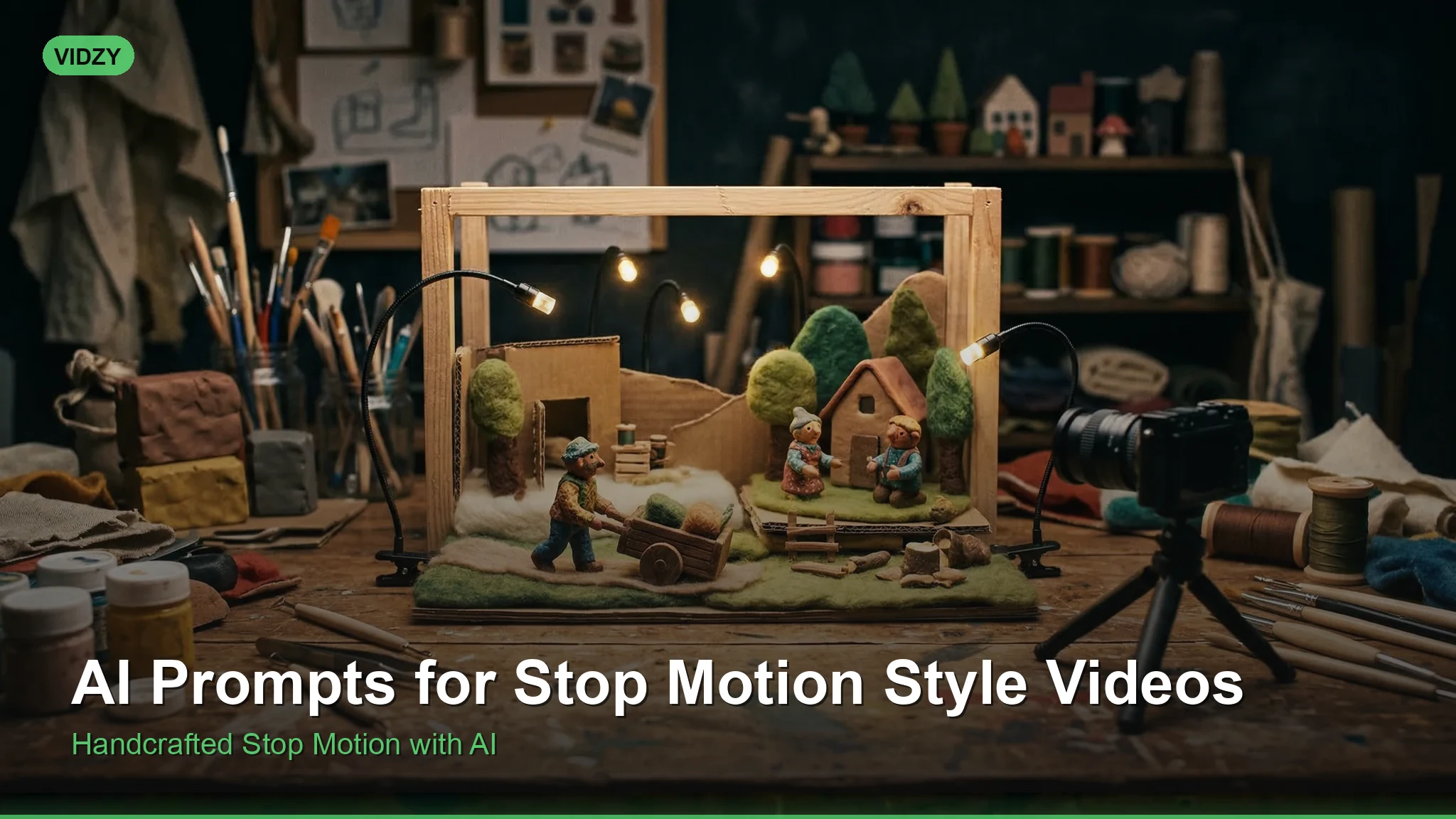
Stop motion animation has captivated audiences for over a century, from the pioneering work of Willis O’Brien to the beloved films of Laika Studios. Today, stop motion AI prompts allow creators to generate that signature frame-by-frame aesthetic without building physical sets, sculpting clay figures, or spending months capturing thousands of individual frames.
AI video generators like Sora, Wan, and Veo can now replicate the tactile charm of stop motion — the subtle jitter between frames, the handcrafted feel of miniature sets, and the endearing imperfections that make this style so appealing. Whether you want claymation characters, paper cutout animation, or LEGO-style scenes, the right prompt is all you need to get started.
This guide offers a complete collection of stop motion AI prompts that you can copy, customize, and use immediately. Each prompt has been crafted to trigger the specific visual markers that make stop motion feel authentic.
How to Write Effective Stop Motion AI Prompts
The key to generating convincing stop motion footage with AI lies in describing the medium as much as the subject. Generic animation prompts will produce smooth, digital-looking results. To achieve the stop motion look, you need to explicitly reference:
- Frame rate and movement: Mention “12 fps,” “jerky frame-by-frame movement,” or “stuttering animation” to replicate the characteristic choppiness
- Material and texture: Specify clay, felt, paper, wood, or plasticine to ground the visuals in a physical craft medium
- Set design: Describe miniature sets, tabletop stages, or diorama environments to sell the handmade scale
- Lighting artifacts: Reference slight lighting flickers or shadow shifts between frames, a hallmark of real stop motion where lights are repositioned manually
Need help structuring your prompts before testing them? The AI Video Prompt Generator can help you build well-formatted prompts with all the right descriptors.
Claymation Style Prompts
Claymation is the most recognized form of stop motion. These prompts target that plasticine, handmolded character look with visible fingerprint textures and smooth-but-imperfect movements.
A cheerful claymation dog walks through a miniature park made of sculpted clay. The trees are bright green plasticine with visible fingerprint marks. The dog’s ears bounce with each jerky step, animated at 12 frames per second. Warm studio lighting with soft shadows on a painted sky backdrop. Stop motion animation style.
Two claymation characters sit at a tiny clay dining table, passing a plasticine bowl of spaghetti back and forth. The noodles stretch and wobble with each frame. The kitchen set is a detailed miniature with hand-painted wallpaper and a working clay faucet that drips. Frame-by-frame stop motion, slight lighting flicker between shots.
A claymation astronaut plants a flag on a moon surface made of gray modeling clay. The stars in the background are tiny LED lights punched through black cardboard. Dust particles float upward in stuttering stop motion. The astronaut’s visor reflects a miniature Earth made of blue and green plasticine.
Paper Cutout Animation Prompts
Paper cutout stop motion creates a flat, layered look — think South Park’s original seasons or the work of Lotte Reiniger. These prompts emphasize paper textures, visible joints, and lateral movement.
A paper cutout city unfolds layer by layer on a flat surface. Buildings are made of colored construction paper with visible scissor-cut edges. Tiny paper cars slide along drawn roads. A paper sun rises in the background, connected to a visible brass brad that rotates it upward. Stop motion, overhead camera angle, 10 fps.
A paper cutout knight on a horse gallops across a storybook landscape. The knight’s limbs are connected with metal fasteners, each joint moving independently between frames. The background scrolls horizontally — rolling green hills cut from textured cardstock with watercolor washes. Frame-by-frame animation, flat lighting from above.
LEGO and Toy Stop Motion Prompts
Brick films and toy animations are among the most popular forms of stop motion on YouTube. These prompts target the rigid, blocky movements and plastic textures of toy-based animation.
A LEGO minifigure detective investigates a crime scene in a detailed LEGO city block. The detective picks up a magnifying glass with rigid, snapping arm movements characteristic of brick film animation. Other minifigures stand frozen in the background. Sharp studio lighting on a tabletop set, 15 fps stop motion.
A stop motion battle between toy action figures on a bedroom floor. A plastic dinosaur charges toward a row of toy soldiers positioned on a stack of books. The camera is low to the ground, making the toys appear life-sized. Each movement is jerky and deliberate, with visible position changes between frames. Natural window light, shallow depth of field on the carpet texture.
Miniature Set and Diorama Prompts
These prompts focus on the environmental storytelling that makes stop motion so immersive — tiny worlds built with incredible detail on tabletop stages.
A stop motion scene inside a miniature Japanese ramen shop. A tiny felt character sits at a wooden counter, lifting chopsticks to a bowl of yarn noodles. Steam rises from the bowl as cotton wisps pulled upward on fishing line. The shop is lit by a warm miniature paper lantern. Tilt-shift focus, 12 fps, handcrafted diorama aesthetic.
A miniature train station at dawn, built from balsa wood and painted cardboard. A stop motion train made of tin and wire pulls into the station with stuttering frame-by-frame movement. Tiny cotton clouds drift across a watercolor sky backdrop. A hand-painted clock on the station wall shows the time changing between frames.
For sizing your stop motion videos correctly across different social platforms, check the AI Video Size Guide to find optimal dimensions for each channel.
Food and Object Stop Motion Prompts
Object animation brings everyday items to life. Food stop motion, in particular, has become enormously popular on social media for recipe content and brand marketing.
A stop motion sequence of a sandwich assembling itself on a wooden cutting board. Ingredients fly in one at a time — bread slides from the left, lettuce drops from above, tomato slices stack neatly. Each ingredient lands with a tiny bounce and settles. Overhead camera, clean white marble background, bright even lighting, 15 fps stop motion.
Office supplies come alive in stop motion on a desk. Pencils march in a line, a stapler opens and closes like a mouth, and paper clips form a conga line across a notebook. Sticky notes peel off a pad and flutter into position to spell a word. Natural desk lamp lighting, shallow depth of field, frame-by-frame animation.
Dark and Atmospheric Stop Motion Prompts
Stop motion has a rich tradition in horror and gothic storytelling, from the Brothers Quay to Coraline. These prompts lean into that moody, unsettling aesthetic.
A stop motion puppet with button eyes walks through a dark, twisted forest made of bare wire branches and dried moss. The puppet’s joints are visible — wooden ball-and-socket connections that click with each movement. Fog drifts through the miniature set. A single spotlight follows the puppet from above, casting long dramatic shadows. 12 fps, gothic stop motion aesthetic.
An old stop motion clockwork automaton sits in a dusty Victorian parlor diorama. The automaton slowly turns its head, gears visible through a glass chest plate. Each movement is deliberate and mechanical, with slight pauses between frames. Candlelight flickers across brass and porcelain surfaces. Dark, atmospheric stop motion with a Tim Burton influence.
Tips for Refining Your Stop Motion AI Results
Even with well-written prompts, you may need to iterate. Here are practical refinements:
- Specify frame rate explicitly. Adding “12 fps” or “15 fps” to your prompt is the single most effective way to get choppy, authentic stop motion motion rather than smooth animation.
- Name the material twice. Mention it for both characters and environments — “a clay character in a clay world” reinforces the medium more strongly than mentioning it once.
- Reference real stop motion films. Phrases like “in the style of Aardman Animations” or “inspired by Wes Anderson’s Isle of Dogs” give AI models strong aesthetic anchors.
- Add imperfections intentionally. Real stop motion has visible fingerprints on clay, slight wobble in sets, and minor lighting changes between frames. Describe these details explicitly.
- Control camera movement. Stop motion rarely uses smooth camera pans. Specify “locked-off camera,” “static tripod shot,” or “subtle zoom achieved by repositioning the camera between frames.”
Frequently Asked Questions
Can AI really replicate the stop motion look?
Yes. Modern AI video generators can convincingly replicate the frame-by-frame jitter, material textures, and handcrafted aesthetic of stop motion. The key is providing detailed prompts that describe the physical medium, frame rate, and set construction. Results continue to improve with each model generation.
What frame rate should I specify for stop motion AI prompts?
Traditional stop motion is typically shot at 12 or 24 frames per second (with each frame held for two exposures at 24 fps, effectively creating 12 unique positions). Specifying 12 fps in your prompt produces the most authentic stuttering movement. 15 fps works well for smoother but still recognizably stop motion animation.
Which AI video generator works best for stop motion?
Sora and Wan both handle stop motion prompts well, particularly when you specify material textures and frame rates. Sora tends to produce more polished results, while Wan can create a grittier, more handmade feel. Test your prompts across multiple models to find your preferred look.
How do I make my stop motion AI videos look more handmade?
Add descriptors for physical imperfections: fingerprint marks on clay, visible cut edges on paper, dust particles on miniature sets, and slight lighting variations between frames. These details signal to the AI that you want a handcrafted rather than digitally perfect result.
Start Creating Stop Motion AI Videos
The beauty of stop motion has always been its tangible, handcrafted quality — and now stop motion AI prompts make that aesthetic accessible to anyone. You do not need a physical studio, sculpting tools, or hundreds of hours of patience. A well-crafted prompt delivers the charm of frame-by-frame animation in minutes.
Start with the claymation prompts above, customize the subjects and settings to match your creative vision, and refine your results using the tips in this guide. For help building and structuring your initial prompts, try the AI Video Script Template tool to outline your scene before generating.
The stop motion renaissance is here, and it is powered by AI.