

Ultra-photorealistic Infographics
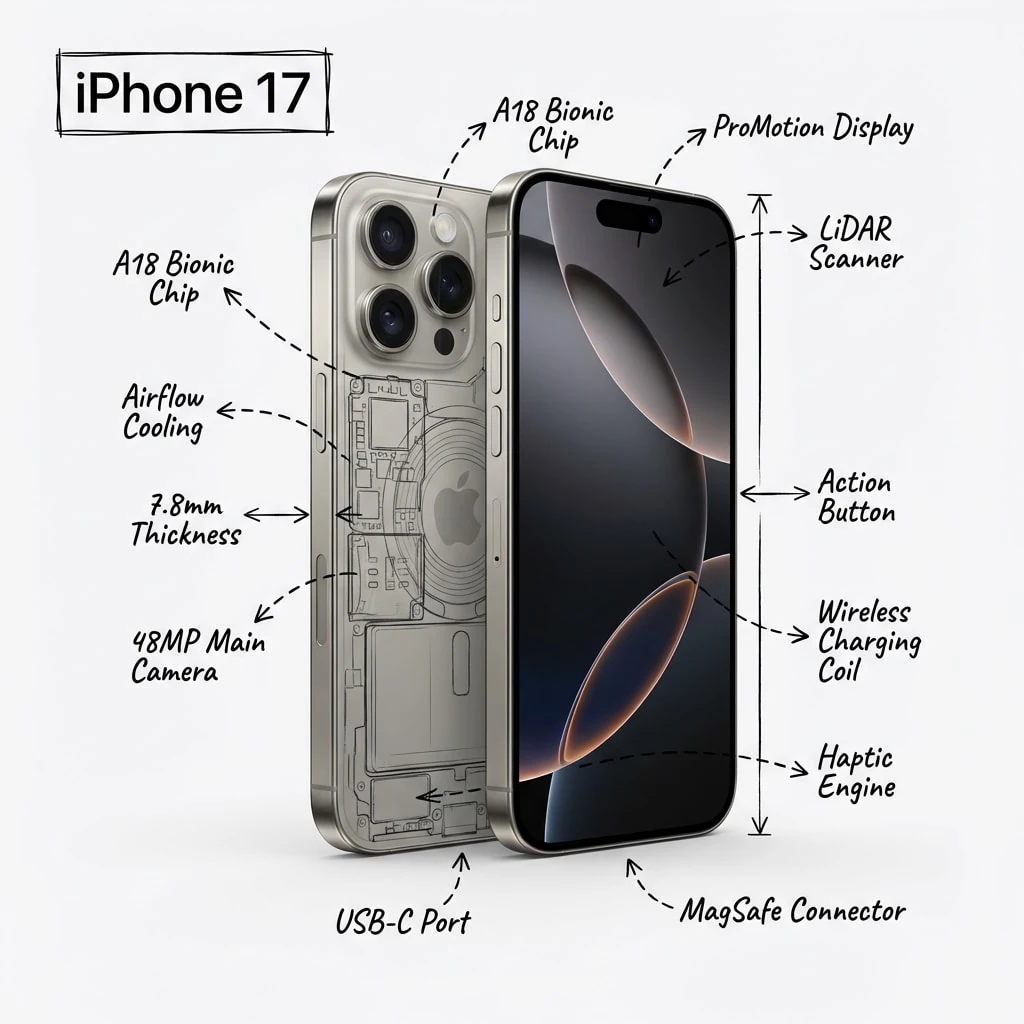
Prompt
Ultra-photorealistic studio render of a ${object_name}, front three-quarter view, placed on a pure white seamless studio background.The car must look like a high-end automotive catalog photograph: physically accurate lighting, realistic global illumination, soft studio shadows under the tires, correct reflections on paint, glass, and chrome, sharp focus, natural perspective, true-to-life proportions, no stylization.
Over the realistic car image, overlay hand-drawn technical annotation graphics in black ink only, as if sketched with a technical pen or architectural marker directly on top of the photograph.
Include:• Key component labels (engine, AWD system, turbocharger, brakes, suspension)• Internal cutaway and exploded-view outline sketches (semi-transparent, schematic style)• Measurement lines, dimensions, scale indicators• Material callouts and part quantities• Arrows showing airflow, power transmission, torque distribution, mechanical force• Simple sectional or schematic diagrams where relevant
The annotations must feel hand-sketched, technical, and architectural, slightly imperfect linework, educational engineering-manual aesthetic.
The realistic car remains clearly visible beneath the annotations at all times.Clean, balanced composition with generous negative space.
Place the title “${object_name}” inside a hand-drawn technical annotation box in one corner of the image.
Visual style: museum exhibit / engineering infographicColor palette: white background, black annotation lines and text only (no other colors)Output: ultra-crisp, high detail, social-media optimized square compositionAspect ratio: 1:1 (1080×1080)No watermark, no logo, no UI, no decorative illustration style
How to Use This AI Image Prompt
- Click Copy Prompt above to copy the full prompt text
- Open your preferred AI image generator (Nano Banana 2 recommended)
- Paste the prompt and adjust any variables to your needs
- Generate and iterate — try modifying keywords for different results
Or use Vidzy to generate AI images with one tap — no prompt editing needed. Download free on the App Store.
Tips for Better AI Image Results
- Be specific: Add details about lighting, camera angle, style, and mood for more accurate AI output.
- Iterate: Generate multiple versions and pick the best one. Small wording changes can produce very different results.
- Combine ideas: Mix elements from different prompts in our free prompt library to create unique compositions.
- Match the model: Different AI models interpret prompts differently. This prompt is optimized for Nano Banana 2.
Frequently Asked Questions
Can I modify this prompt?
Absolutely. This prompt is a starting point. Feel free to change subjects, styles, lighting, or any other details to match your creative vision.
What AI tool works best with this prompt?
This prompt is optimized for Nano Banana 2, but it works well with most modern AI IMAGE generators.
Is this prompt free to use?
Yes, all prompts in the Vidzy library are free to copy and use for personal and commercial projects.

Your Next Video Is 30 Seconds Away
Download Vidzy free, pick a template, and create your first video right now.
