

Terminal Drift
Prompt
{
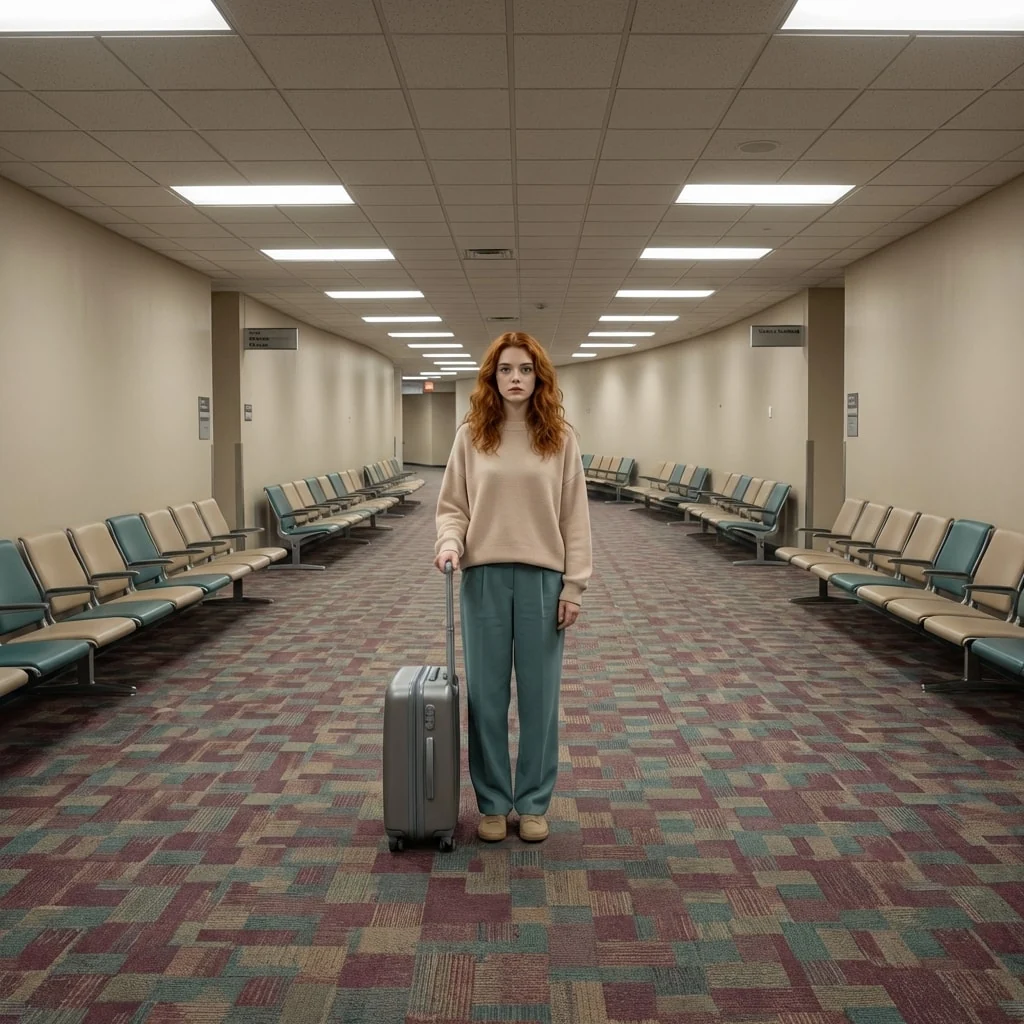
"title": "Terminal Drift",
"description": "A haunting visualization of a lone traveler stuck in an infinite, empty airport terminal that defies logic.",
"prompt": "You will perform an image edit using the person from the provided photo as the main subject. Preserve her core likeness. Transform Subject 1 (female) into a solitary figure standing in an endless, windowless airport terminal. The surrounding space is a repetitive hallway of beige walls, low ceilings, and patterned carpet. There are no exits, only the endless stretch of artificial lighting and empty waiting chairs. The composition should adhere to a cinematic 1:1 aspect ratio.",
"details": {
"year": "Indeterminate 1990s",
"genre": "Liminal Space",
"location": "A vast, curving airport corridor with no windows, endless beige walls, and complex patterned carpet.",
"lighting": [
"Flat fluorescent overheads",
"Uniform artificial glow",
"No natural light source"
],
"camera_angle": "Wide shot, symmetrical center-framed composition.",
"emotion": [
"Disassociation",
"Unease",
"Solitude"
],
"color_palette": [
"Beige",
"Muted Teal",
"Faded Maroon",
"Off-white"
],
"atmosphere": [
"Uncanny",
"Sterile",
"Silent",
"Timeless"
],
"environmental_elements": "Rows of empty connected waiting chairs, commercial carpeting with a confusing pattern, generic signage with indecipherable text.",
"subject1": {
"costume": "A slightly oversized pastel sweater and loose trousers, appearing mundane and timeless.",
"subject_expression": "A vacant, glazed-over stare, looking slightly past the camera into the void.",
"subject_action": "Standing perfectly still, arms hanging loosely at her sides, holding a generic roller suitcase."
},
"negative_prompt": {
"exclude_visuals": [
"crowds",
"sunlight",
"deep shadows",
"dirt",
"clutter",
"windows looking outside",
"lens flare"
],
"exclude_styles": [
"high contrast",
"action movie",
"vibrant saturation",
"cyberpunk",
"horror gore"
],
"exclude_colors": [
"neon red",
"pitch black",
"vibrant green"
],
"exclude_objects": [
"airplanes",
"trash",
"blood",
"animals"
]
}
}
}
How to Use This AI Image Prompt
- Click Copy Prompt above to copy the full prompt text
- Open your preferred AI image generator (Nano Banana 2 recommended)
- Paste the prompt and adjust any variables to your needs
- Generate and iterate — try modifying keywords for different results
Or use Vidzy to generate AI images with one tap — no prompt editing needed. Download free on the App Store.
Tips for Better AI Image Results
- Be specific: Add details about lighting, camera angle, style, and mood for more accurate AI output.
- Iterate: Generate multiple versions and pick the best one. Small wording changes can produce very different results.
- Combine ideas: Mix elements from different prompts in our free prompt library to create unique compositions.
- Match the model: Different AI models interpret prompts differently. This prompt is optimized for Nano Banana 2.
Frequently Asked Questions
Can I modify this prompt?
Absolutely. This prompt is a starting point. Feel free to change subjects, styles, lighting, or any other details to match your creative vision.
What AI tool works best with this prompt?
This prompt is optimized for Nano Banana 2, but it works well with most modern AI IMAGE generators.
Is this prompt free to use?
Yes, all prompts in the Vidzy library are free to copy and use for personal and commercial projects.

Your Next Video Is 30 Seconds Away
Download Vidzy free, pick a template, and create your first video right now.
