

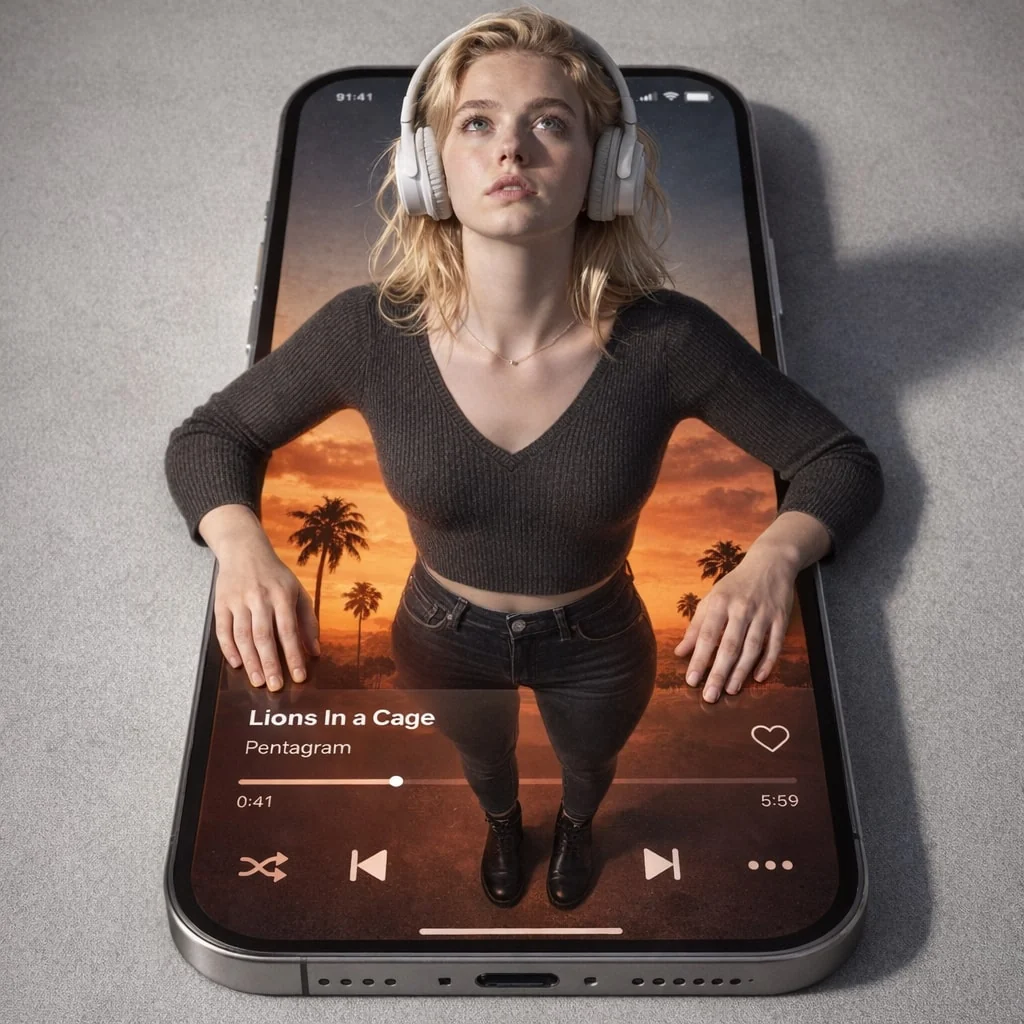
Surreal CGI-Photography Hybrid Portrait
Prompt
{
"prompt_type": "Surreal CGI-Photography Hybrid Portrait",
"subject": {
"reference_identity": "Crucially, the woman's facial features, hair, and unique identity must match the provided reference photo exactly.",
"expression": "Neutral expression, gazing upward.",
"pose": "A surreal full-body composition viewed from above. Her upper torso and arms emerge physically from a smartphone screen lying flat, hands resting on the screen's bezel. Her lower body is digitally contained within the screen's display.",
"attire": {
"upper_body_real": "Attractive daily wear: A fitted, charcoal grey ribbed knit sweater. White over-ear headphones are on her head.",
"lower_body_screen": "Attractive daily wear: Dark high-waisted skinny jeans and stylish black leather ankle boots, rendered digitally within the phone interface."
}
},
"environment": {
"setting": "A minimalist gray concrete surface where a black smartphone lies flat.",
"screen_content": "The smartphone display shows a music player app interface. Track: 'Lions In a Cage' by Pentagram. Timestamp: 0:41 / 5:59. Background visual on screen: A warm sunset with silhouetted palm trees.",
"props": "Iphone 16"
},
"cinematography": {
"camera_angle": "High top-down view (God's eye angle), looking straight down at the phone and emerging subject.",
"lens": "35mm wide-angle lens, creating perspective integration between the real and digital worlds.",
"aperture": "f/8 for deep depth of field, keeping both the physical subject and the screen content sharp.",
"lighting": "Soft artificial overhead and frontal lighting mixed with the warm glow emanating from the smartphone screen. Medium contrast, diffused shadows. The lighting palette is slightly warm and desaturated, mirroring an intimate indoor setting.",
"color_palette": "Neutral gray-white dominant palette in the real world, contrasted by the warm oranges, deep reds, and greens from the sunset interface on the screen.",
"style": "Digital CGI blended seamlessly with photography. Whimsical, surreal, tech-inspired, and immersive mood."
}
}
How to Use This AI Image Prompt
- Click Copy Prompt above to copy the full prompt text
- Open your preferred AI image generator
- Paste the prompt and adjust any variables to your needs
- Generate and iterate — try modifying keywords for different results
Or use Vidzy to generate AI images with one tap — no prompt editing needed. Download free on the App Store.
Tips for Better AI Image Results
- Be specific: Add details about lighting, camera angle, style, and mood for more accurate AI output.
- Iterate: Generate multiple versions and pick the best one. Small wording changes can produce very different results.
- Combine ideas: Mix elements from different prompts in our free prompt library to create unique compositions.
- Match the model: Different AI models interpret prompts differently. Try the same prompt across multiple tools to compare results.
Frequently Asked Questions
Can I modify this prompt?
Absolutely. This prompt is a starting point. Feel free to change subjects, styles, lighting, or any other details to match your creative vision.
What AI tool works best with this prompt?
This prompt works with most AI image generators including Flux, Nano Banana 2, Midjourney, and DALL-E.
Is this prompt free to use?
Yes, all prompts in the Vidzy library are free to copy and use for personal and commercial projects.

Your Next Video Is 30 Seconds Away
Download Vidzy free, pick a template, and create your first video right now.
