

Stranded in Time: The Victorian Traveler’s Panic
Prompt
{
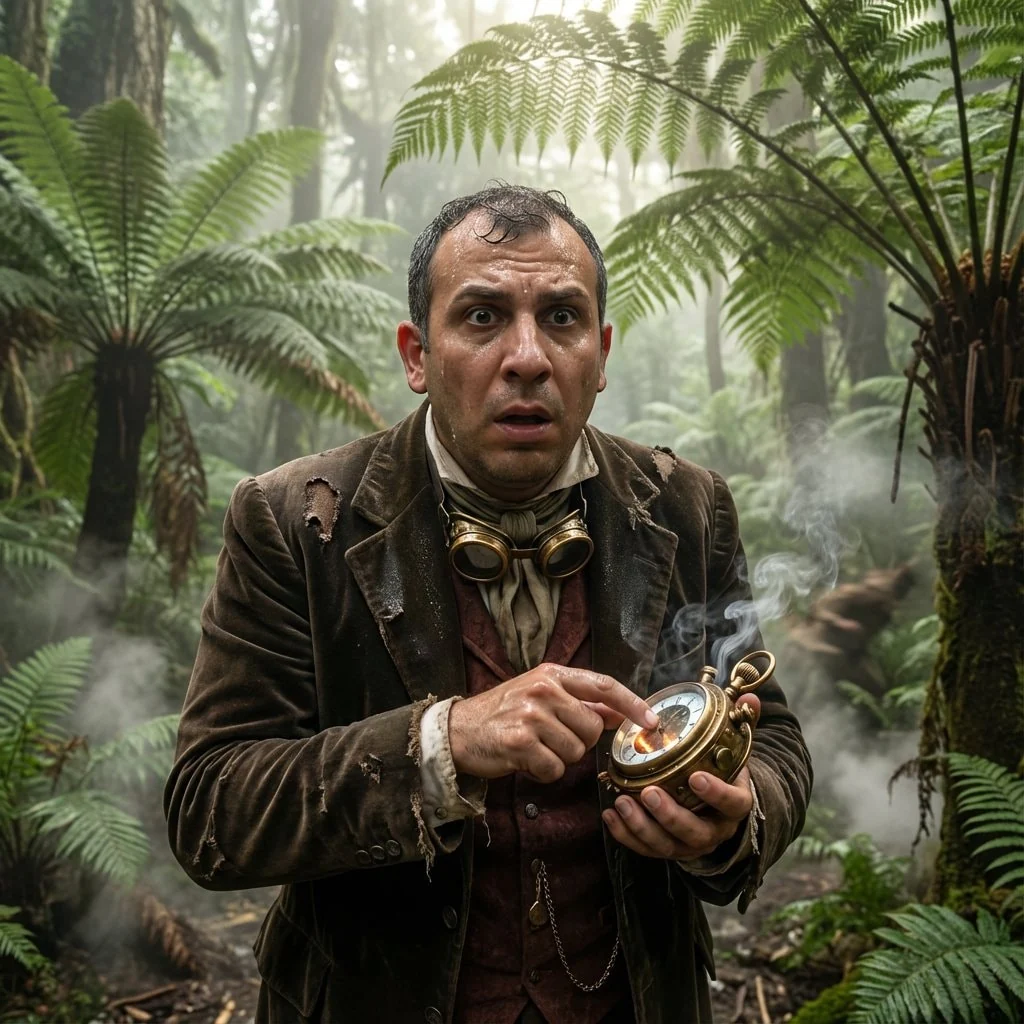
"prompt": "You will perform an image edit using the person from the provided photo as the main subject. Preserve his core likeness. The scene depicts Subject 1 as a beleaguered Victorian time traveler checking a complicated brass chronometer in a dense, misty prehistoric jungle. The image must be ultra-photorealistic and highly detailed, capturing the texture of fraying velvet, sweating skin, and wet tropical leaves. Use cinematic lighting with dappled sunlight breaking through the canopy to illuminate the subject. The style is that of a high-budget movie, shot on Arri Alexa with a shallow depth of field.",
"details": {
"year": "The Late Cretaceous Period (via 1890)",
"genre": "Cinematic Photorealism",
"location": "A dense, humid jungle floor with giant ferns and ancient cycads.",
"lighting": [
"Dappled sunlight filtering through canopy",
"Atmospheric volumetric fog",
"High contrast shadows"
],
"camera_angle": "Eye-level close-up with focus on the face and device.",
"emotion": [
"Panic",
"Urgency",
"Disbelief"
],
"color_palette": [
"Deep emerald greens",
"Muddy browns",
"Tarnished brass gold",
"Rich burgundy"
],
"atmosphere": [
"Humid",
"Dangerous",
"Claustrophobic",
"Sweltering"
],
"environmental_elements": "Giant fern fronds, hovering prehistoric insects, rising steam from the damp ground, a blurred massive shape moving in the background.",
"subject1": {
"costume": "A torn and muddy three-piece Victorian velvet suit, a loose cravat, and brass steampunk goggles around the neck.",
"subject_expression": "Wide-eyed desperation, sweat beading on the forehead.",
"subject_action": "Frantically tapping the glass dial of a glowing, smoking brass chronometer held in his hand."
},
"negative_prompt": {
"exclude_visuals": [
"modern buildings",
"paved roads",
"digital watches",
"sneakers",
"plastic"
],
"exclude_styles": [
"cartoon",
"sketch",
"oil painting",
"anime",
"low resolution"
],
"exclude_colors": [
"neon blue",
"hot pink"
],
"exclude_objects": [
"cars",
"modern weaponry"
]
}
}
}
How to Use This AI Image Prompt
- Click Copy Prompt above to copy the full prompt text
- Open your preferred AI image generator
- Paste the prompt and adjust any variables to your needs
- Generate and iterate — try modifying keywords for different results
Or use Vidzy to generate AI images with one tap — no prompt editing needed. Download free on the App Store.
Tips for Better AI Image Results
- Be specific: Add details about lighting, camera angle, style, and mood for more accurate AI output.
- Iterate: Generate multiple versions and pick the best one. Small wording changes can produce very different results.
- Combine ideas: Mix elements from different prompts in our free prompt library to create unique compositions.
- Match the model: Different AI models interpret prompts differently. Try the same prompt across multiple tools to compare results.
Frequently Asked Questions
Can I modify this prompt?
Absolutely. This prompt is a starting point. Feel free to change subjects, styles, lighting, or any other details to match your creative vision.
What AI tool works best with this prompt?
This prompt works with most AI image generators including Flux, Nano Banana 2, Midjourney, and DALL-E.
Is this prompt free to use?
Yes, all prompts in the Vidzy library are free to copy and use for personal and commercial projects.

Your Next Video Is 30 Seconds Away
Download Vidzy free, pick a template, and create your first video right now.
