

Shadows of the Cold War: The 1962 Exchange
Prompt
{
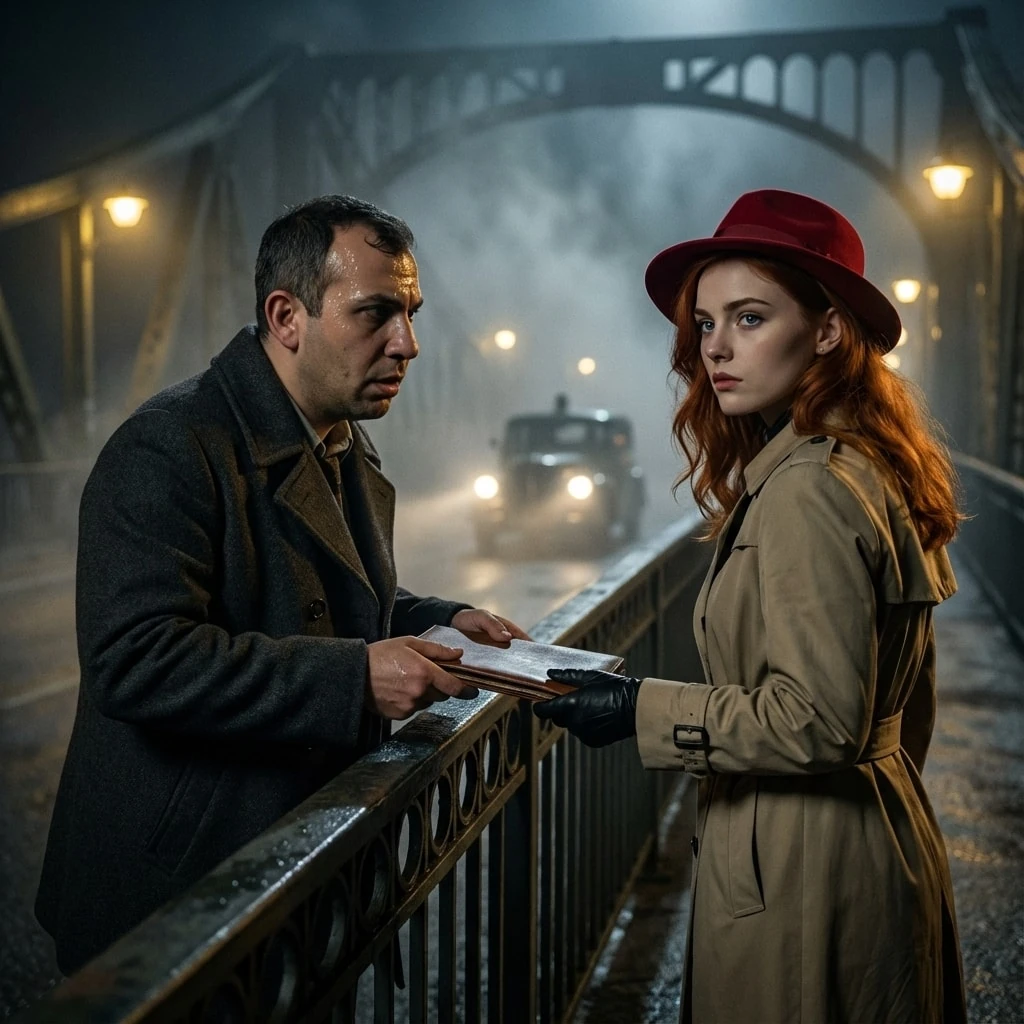
"prompt": "You will perform an image edit using the people from the provided photos as the main subjects. Preserve their core likeness. Create an Ultra-Photorealistic, Movie-Quality scene depicting Subject 1 (male) and Subject 2 (female) as covert spies meeting on a foggy, iron bridge during the Cold War. The image must look like a frame from a high-budget blockbuster movie shot on Arri Alexa. Use cinematic lighting to create deep shadows and highlights. The scene is highly detailed with a shallow depth of field. Subject 1 is handing off a secret package to Subject 2. The composition adheres to a cinematic 1:1 aspect ratio.",
"details": {
"year": "1962",
"genre": "Cinematic Photorealism",
"location": "The Glienicke Bridge at midnight, obscured by thick river fog and illuminated by dim, yellow streetlamps.",
"lighting": [
"Volumetric fog lighting",
"Noir style chiaroscuro",
"Rim lighting on silhouettes",
"Soft yellow tungsten glow"
],
"camera_angle": "Eye-level medium closeup with a shallow depth of field to isolate the subjects from the misty background.",
"emotion": [
"Suspenseful",
"Urgent",
"Clandestine"
],
"color_palette": [
"Steel blue",
"Fog gray",
"Tungsten amber",
"Deep black",
"Vibrant crimson"
],
"atmosphere": [
"Cold",
"Tense",
"Cinematic",
"Mysterious"
],
"environmental_elements": "Swirling mist rising from the water below, damp iron railings, the distant blurred headlights of a vintage checkpoint vehicle.",
"subject1": {
"costume": "A textured charcoal wool peacoat with the collar turned up against the wind.",
"subject_expression": "Anxious, with sweat glistening on his brow and eyes darting nervously.",
"subject_action": "Subtly sliding a leather dossier across the railing towards Subject 2."
},
"negative_prompt": {
"exclude_visuals": [
"daylight",
"sunshine",
"modern cars",
"cell phones",
"neon signs"
],
"exclude_styles": [
"cartoon",
"3D render",
"sketch",
"anime",
"impressionist"
],
"exclude_colors": [
"neon green",
"hot pink",
"pastel colors"
],
"exclude_objects": [
"umbrellas",
"crowds",
"modern architecture"
]
},
"subject2": {
"costume": "A classic beige trench coat belted at the waist and a red hat.",
"subject_expression": "Stoic and composed, with a piercing, calculating gaze.",
"subject_action": "Reaching out with a black leather-gloved hand to intercept the dossier while looking over her shoulder."
}
}
}
How to Use This AI Image Prompt
- Click Copy Prompt above to copy the full prompt text
- Open your preferred AI image generator (Nano Banana 2 recommended)
- Paste the prompt and adjust any variables to your needs
- Generate and iterate — try modifying keywords for different results
Or use Vidzy to generate AI images with one tap — no prompt editing needed. Download free on the App Store.
Tips for Better AI Image Results
- Be specific: Add details about lighting, camera angle, style, and mood for more accurate AI output.
- Iterate: Generate multiple versions and pick the best one. Small wording changes can produce very different results.
- Combine ideas: Mix elements from different prompts in our free prompt library to create unique compositions.
- Match the model: Different AI models interpret prompts differently. This prompt is optimized for Nano Banana 2.
Frequently Asked Questions
Can I modify this prompt?
Absolutely. This prompt is a starting point. Feel free to change subjects, styles, lighting, or any other details to match your creative vision.
What AI tool works best with this prompt?
This prompt is optimized for Nano Banana 2, but it works well with most modern AI IMAGE generators.
Is this prompt free to use?
Yes, all prompts in the Vidzy library are free to copy and use for personal and commercial projects.

Your Next Video Is 30 Seconds Away
Download Vidzy free, pick a template, and create your first video right now.
