

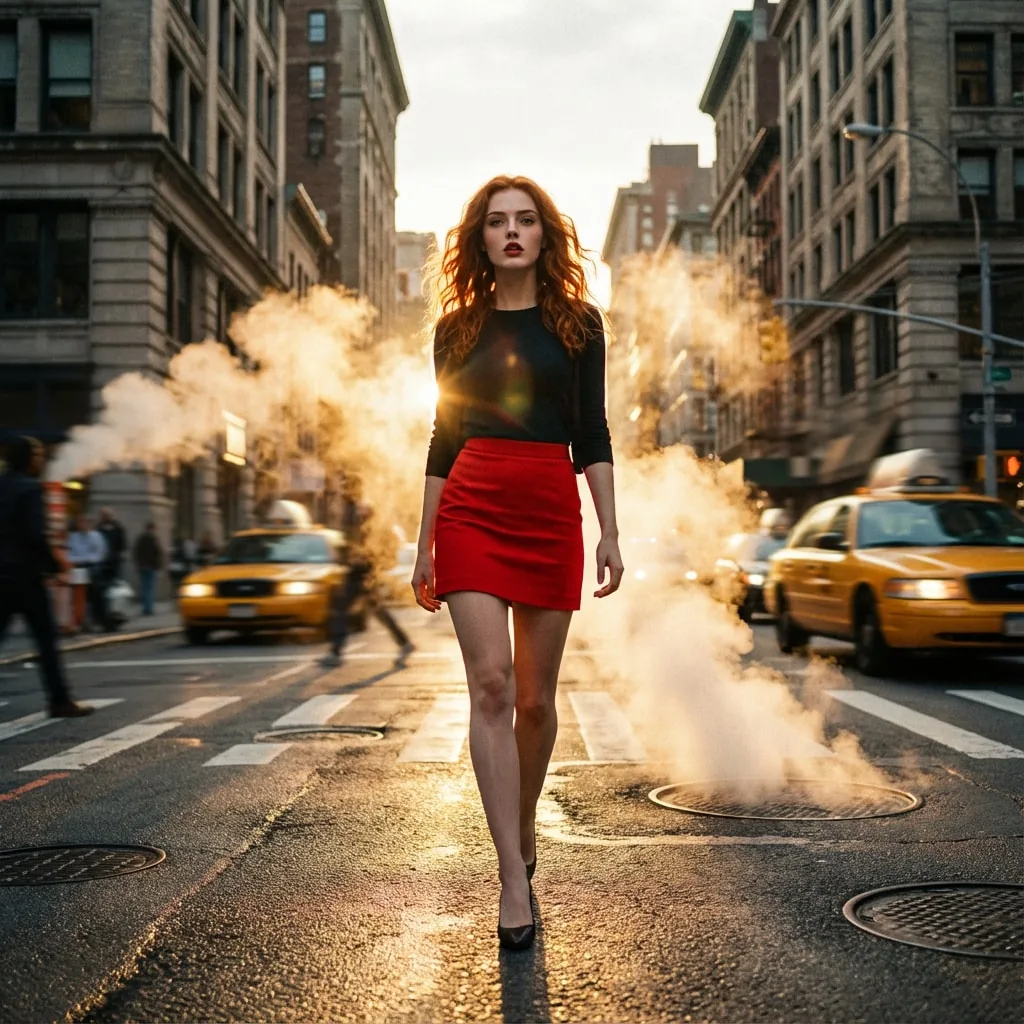
Manhattan Mirage
Prompt
{
"title": "Manhattan Mirage",
"description": "A high-octane, cinematic moment capturing a woman's confident stride through a steam-filled New York intersection during golden hour.",
"prompt": "You will perform an image edit using the provided photo. Create an Ultra-Photorealistic image of the female subject. The style is highly detailed, resembling a frame shot on Arri Alexa with a cinematic 1:1 aspect ratio. Apply heavy depth of field to blur the busy background while keeping the subject sharp. Use cinematic lighting with strong backlight. The subject is wearing a red mini skirt and is walking on the street.",
"details": {
"year": "1999",
"genre": "Cinematic Photorealism",
"location": "A gritty, bustling New York City intersection at sunset, with steam rising from manholes and blurred yellow taxis in the background.",
"lighting": [
"Golden hour backlight",
"Lens flares",
"High contrast volumetric lighting"
],
"camera_angle": "Low-angle tracking shot, centered composition.",
"emotion": [
"Confident",
"Empowered",
"Aloof"
],
"color_palette": [
"Crimson red",
"Asphalt grey",
"Golden yellow",
"Deep black"
],
"atmosphere": [
"Urban",
"Dynamic",
"Cinematic",
"Energetic"
],
"environmental_elements": "Steam plumes rising from the ground, motion-blurred traffic, flying pigeons, wet pavement reflecting the sunset.",
"subject1": {
"costume": "red mini skirt",
"subject_expression": "A fierce, confident gaze with slightly parted lips, perhaps wearing vintage sunglasses.",
"subject_action": "walking on the street"
},
"negative_prompt": {
"exclude_visuals": [
"empty streets",
"studio background",
"overexposed sky",
"static pose"
],
"exclude_styles": [
"cartoon",
"3D render",
"illustration",
"anime",
"sketch"
],
"exclude_colors": [
"neon green",
"pastel pink"
],
"exclude_objects": [
"smartphones",
"modern cars",
"futuristic gadgets"
]
}
}
}
How to Use This AI Image Prompt
- Click Copy Prompt above to copy the full prompt text
- Open your preferred AI image generator (Nano Banana 2 recommended)
- Paste the prompt and adjust any variables to your needs
- Generate and iterate — try modifying keywords for different results
Or use Vidzy to generate AI images with one tap — no prompt editing needed. Download free on the App Store.
Tips for Better AI Image Results
- Be specific: Add details about lighting, camera angle, style, and mood for more accurate AI output.
- Iterate: Generate multiple versions and pick the best one. Small wording changes can produce very different results.
- Combine ideas: Mix elements from different prompts in our free prompt library to create unique compositions.
- Match the model: Different AI models interpret prompts differently. This prompt is optimized for Nano Banana 2.
Frequently Asked Questions
Can I modify this prompt?
Absolutely. This prompt is a starting point. Feel free to change subjects, styles, lighting, or any other details to match your creative vision.
What AI tool works best with this prompt?
This prompt is optimized for Nano Banana 2, but it works well with most modern AI IMAGE generators.
Is this prompt free to use?
Yes, all prompts in the Vidzy library are free to copy and use for personal and commercial projects.

Your Next Video Is 30 Seconds Away
Download Vidzy free, pick a template, and create your first video right now.
