

Corporate Studio Portrait (Auto Outfit for Men/Women)
Prompt
Use the person from the uploaded photo as the primary reference. Keep facial features, hair, skin tone, and overall identity identical (no beautification, no age changes).
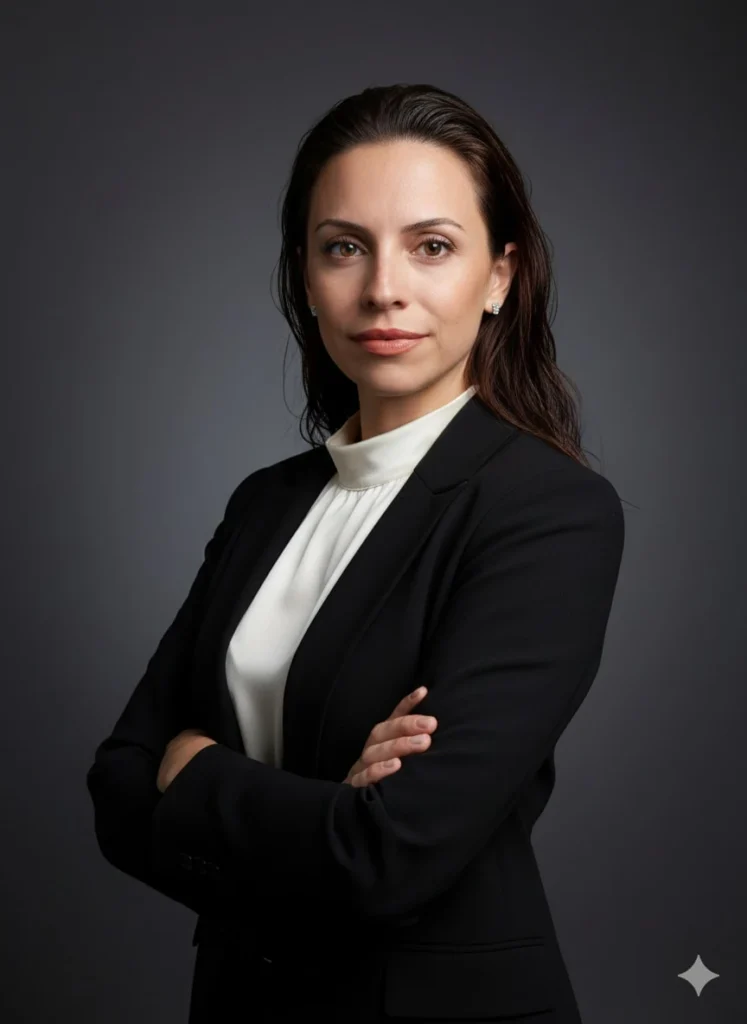
Scene: Modern corporate studio portrait shoot.
Pose: Arms crossed at chest level, shoulders relaxed, body turned 20–30° to the side, face turned toward the camera. Expression: neutral and confident with a subtle friendly smile.
Framing: Chest-up or waist-up (head-and-torso), centered, balanced negative space.
Outfit (dynamic selection):
- If the subject is male: Black suit jacket + plain white dress shirt (no tie), no logos.
- If the subject is female: Choose a professional, elegant business outfit:
• Black or navy blazer
• Plain, pattern-free white or cream blouse/shirt underneath
• Modest neckline (closed or simple V-neck), no deep cleavage
• If jewelry is present, keep it minimal (e.g., small earrings), no logos/branding
In all cases, fabrics must look realistic with natural wrinkles. Avoid flashy fashion elements.
Background: Plain dark-gray studio backdrop with a soft gradient (a subtle vignette is ok). No distracting objects.
Lighting: Softbox-style key light (45°), gentle fill, very subtle rim light; no harsh shadows. Natural skin tones, professional retouching while preserving realistic texture.
Camera: 85mm portrait lens feel, f/2.8–f/4, slight background blur, high sharpness (especially the eyes).
Color: Cinematic but natural, low saturation, clean contrast.
Rules: No text, no logos, no watermarks, no extra people. Hands/fingers must be natural and correct. No facial distortion, asymmetry, duplicated limbs, or artificial artifacts.
Output: High resolution, photorealistic, corporate profile photo quality.
How to Use This AI Image Prompt
- Click Copy Prompt above to copy the full prompt text
- Open your preferred AI image generator
- Paste the prompt and adjust any variables to your needs
- Generate and iterate — try modifying keywords for different results
Or use Vidzy to generate AI images with one tap — no prompt editing needed. Download free on the App Store.
Tips for Better AI Image Results
- Be specific: Add details about lighting, camera angle, style, and mood for more accurate AI output.
- Iterate: Generate multiple versions and pick the best one. Small wording changes can produce very different results.
- Combine ideas: Mix elements from different prompts in our free prompt library to create unique compositions.
- Match the model: Different AI models interpret prompts differently. Try the same prompt across multiple tools to compare results.
Frequently Asked Questions
Can I modify this prompt?
Absolutely. This prompt is a starting point. Feel free to change subjects, styles, lighting, or any other details to match your creative vision.
What AI tool works best with this prompt?
This prompt works with most AI image generators including Flux, Nano Banana 2, Midjourney, and DALL-E.
Is this prompt free to use?
Yes, all prompts in the Vidzy library are free to copy and use for personal and commercial projects.

Your Next Video Is 30 Seconds Away
Download Vidzy free, pick a template, and create your first video right now.
