

Alpine Freefall
Prompt
{
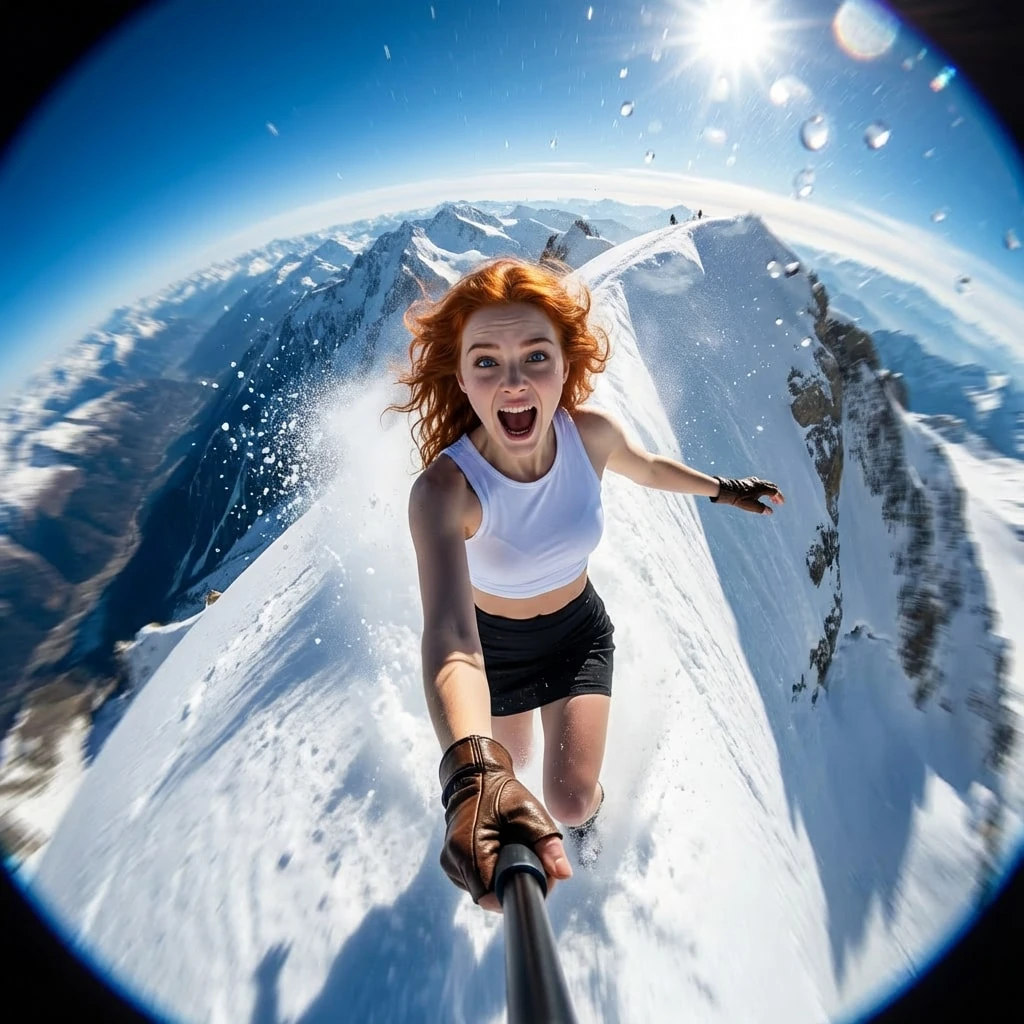
"title": "Alpine Freefall",
"description": "A high-octane, wide-angle action shot capturing the exhilarating rush of a freestyle skier mid-descent on a steep mountain peak.",
"prompt": "You will perform an image edit using the person from the provided photo as the main subject. Preserve her core likeness. Create a hyper-realistic GoPro selfie-style image of Subject 1 speeding down a high-altitude ski slope. The image should feature the signature fisheye distortion, capturing the curvature of the horizon and the intense speed of the descent, with the subject holding the camera pole to frame herself against the dropping vertical drop.",
"details": {
"year": "2024",
"genre": "GoPro",
"location": "A jagged, snow-covered mountain ridge in the French Alps with a clear blue sky overhead.",
"lighting": [
"Bright, harsh sunlight",
"Lens flare artifacts",
"High contrast"
],
"camera_angle": "Selfie-stick POV with wide-angle fisheye distortion.",
"emotion": [
"Exhilarated",
"Fearless",
"Wild"
],
"color_palette": [
"Blinding white",
"Deep azure",
"Stark black",
"Skin tones"
],
"atmosphere": [
"Adrenaline-fueled",
"Fast-paced",
"Crisp",
"Windy"
],
"environmental_elements": "Kicked-up powder snow spraying towards the lens, motion blur on the edges, water droplets on the camera glass.",
"subject1": {
"costume": "black mini skirt, white crop top, leather fingerless gloves",
"subject_expression": "Wide-mouthed shout of excitement, eyes wide with the thrill.",
"subject_action": "ski"
},
"negative_prompt": {
"exclude_visuals": [
"studio lighting",
"calm",
"static pose",
"indoor settings",
"trees"
],
"exclude_styles": [
"oil painting",
"sketch",
"warm vintage",
"soft focus"
],
"exclude_colors": [
"sepia",
"muted tones",
"pastel"
],
"exclude_objects": [
"ski lift",
"crowd",
"buildings"
]
}
}
}
How to Use This AI Image Prompt
- Click Copy Prompt above to copy the full prompt text
- Open your preferred AI image generator (Nano Banana 2 recommended)
- Paste the prompt and adjust any variables to your needs
- Generate and iterate — try modifying keywords for different results
Or use Vidzy to generate AI images with one tap — no prompt editing needed. Download free on the App Store.
Tips for Better AI Image Results
- Be specific: Add details about lighting, camera angle, style, and mood for more accurate AI output.
- Iterate: Generate multiple versions and pick the best one. Small wording changes can produce very different results.
- Combine ideas: Mix elements from different prompts in our free prompt library to create unique compositions.
- Match the model: Different AI models interpret prompts differently. This prompt is optimized for Nano Banana 2.
Frequently Asked Questions
Can I modify this prompt?
Absolutely. This prompt is a starting point. Feel free to change subjects, styles, lighting, or any other details to match your creative vision.
What AI tool works best with this prompt?
This prompt is optimized for Nano Banana 2, but it works well with most modern AI IMAGE generators.
Is this prompt free to use?
Yes, all prompts in the Vidzy library are free to copy and use for personal and commercial projects.

Your Next Video Is 30 Seconds Away
Download Vidzy free, pick a template, and create your first video right now.
