

3D Mechanical Part Image to Technical Drawing Conversion
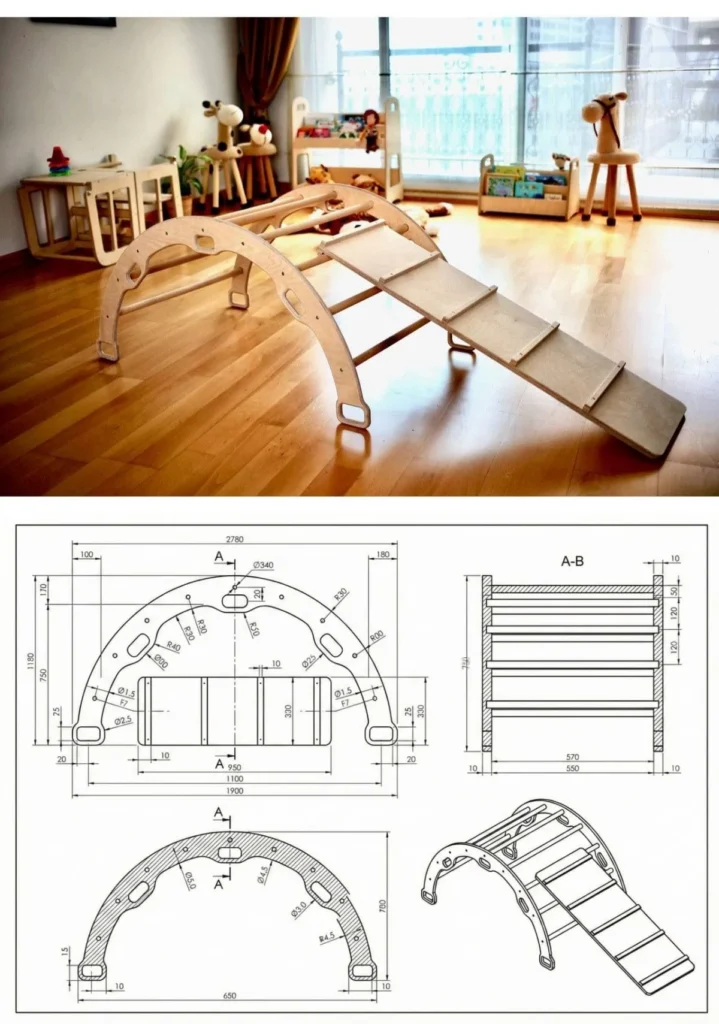
Prompt
{
"task": "image_to_image",
"input_image": "3d_render_of_mechanical_part.png",
"prompt": "Reference scale: the outer diameter of the flange is exactly 360 mm. Mechanical engineering drawing sheet with three separate drawings of the same part placed in clearly separated rectangular areas. Drawing 1: fully dimensioned orthographic views (front, top, side) with precise numeric measurements in millimeters, diameter symbols, radius annotations, hole count notation and center lines. Drawing 2: sectional view taken through the center axis of the part, showing internal geometry with proper section hatching and wall thickness clearly visible. Drawing 3: isometric reference view of the part without any dimensions, used only for spatial understanding. ISO mechanical drafting standard, consistent line weights, monochrome black lines on white background, manufacturing-ready technical documentation, no perspective distortion.",
"negative_prompt": "single combined drawing, merged views, artistic rendering, perspective view, realistic lighting, shadows, textures, colors, gradients, sketch style, hand drawn look, missing dimensions, decorative presentation",
"settings": {
"model": "sdxl",
"sampler": "DPM++ 2M Karras",
"steps": 45,
"cfg_scale": 6,
"denoising_strength": 0.45,
"resolution": {
"width": 1024,
"height": 1024
}
},
"output_expectation": "one technical drawing sheet containing three clearly separated drawings: dimensioned orthographic views, a centered sectional view, and an undimensioned isometric reference, suitable for manufacturing reference"
}
How to Use This AI Image Prompt
- Click Copy Prompt above to copy the full prompt text
- Open your preferred AI image generator
- Paste the prompt and adjust any variables to your needs
- Generate and iterate — try modifying keywords for different results
Or use Vidzy to generate AI images with one tap — no prompt editing needed. Download free on the App Store.
Tips for Better AI Image Results
- Be specific: Add details about lighting, camera angle, style, and mood for more accurate AI output.
- Iterate: Generate multiple versions and pick the best one. Small wording changes can produce very different results.
- Combine ideas: Mix elements from different prompts in our free prompt library to create unique compositions.
- Match the model: Different AI models interpret prompts differently. Try the same prompt across multiple tools to compare results.
Frequently Asked Questions
Can I modify this prompt?
Absolutely. This prompt is a starting point. Feel free to change subjects, styles, lighting, or any other details to match your creative vision.
What AI tool works best with this prompt?
This prompt works with most AI image generators including Flux, Nano Banana 2, Midjourney, and DALL-E.
Is this prompt free to use?
Yes, all prompts in the Vidzy library are free to copy and use for personal and commercial projects.

Your Next Video Is 30 Seconds Away
Download Vidzy free, pick a template, and create your first video right now.
