How to Write Photorealistic AI Portrait Prompts That Look Like Real Photos
Creating photorealistic AI portrait prompts is one of the most technically demanding skills in AI image generation. Portraits require getting dozens of subtle details right simultaneously — skin texture, eye reflections, hair strands, lighting interaction with facial features, and natural expression. Get any of these wrong, and the image lands in the uncanny valley where something looks almost human but unmistakably artificial.
The good news is that AI portrait generation has improved dramatically. Flux, Midjourney, and other modern models can produce portraits that are genuinely difficult to distinguish from photographs. The key is knowing exactly what to tell the model — and what to leave out.
This complete guide walks you through the anatomy of effective portrait prompts, provides ready-to-use templates for every portrait type, and shares the advanced techniques that separate amateur results from professional-quality AI portraits.
The Anatomy of a Photorealistic Portrait Prompt
Photorealistic portraits require more structured prompts than other types of AI images. Here is the framework that consistently delivers the best results.
Subject description: Age range, general appearance descriptors, expression, and gaze direction. Be descriptive but avoid over-specifying every facial feature, which often produces worse results than giving the model creative freedom within constraints.
Lighting setup: This is the single most important factor. Studio portrait photographers spend years mastering light. Your prompt needs to specify the type, direction, quality, and color of light.
Camera and lens: Specifying real photography equipment anchors the AI in realistic rendering. Portrait photographers typically use 85mm, 105mm, or 135mm lenses. Mentioning specific camera bodies adds realism cues.
Environment and background: Backgrounds should support the portrait, not compete with it. Blurred backgrounds (bokeh) are standard for portrait photography.
Technical quality markers: Terms like “RAW photo,” “8K,” “high detail,” and “professional photography” signal the quality level you expect.
Classic Portrait Photography Prompts
These prompts replicate the most common and commercially useful portrait styles.
Natural Light Portraits
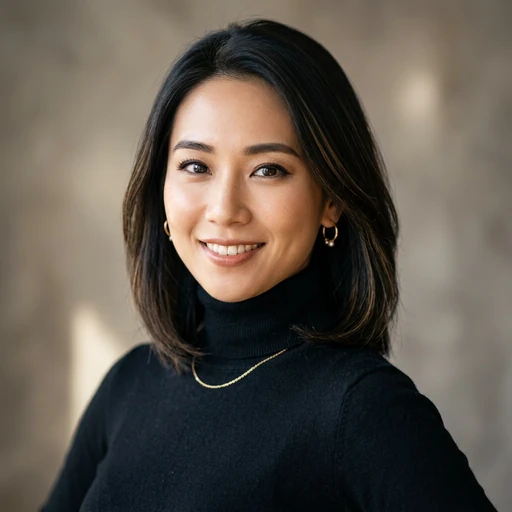
Prompt: “Photorealistic portrait photograph of a woman in her 30s, warm genuine smile, soft natural window light illuminating her face from the left side, gentle shadows on the right, slight catchlight in eyes, shot on Canon EOS R5 with 85mm f/1.4 lens, shallow depth of field, warmly blurred interior background, natural skin texture with subtle freckles, editorial portrait photography”
Prompt: “Natural light portrait of an elderly man with weathered face and kind eyes, sitting in a doorway with soft outdoor light wrapping around his face, deep smile lines and natural skin texture visible, documentary portrait style, shot on Leica M11 with 50mm Summilux, slightly desaturated warm tones, authentic and unposed expression”
Studio Portraits
Prompt: “Professional studio headshot portrait, man in his 40s wearing a dark blazer over a light shirt, Rembrandt lighting pattern with main light at 45 degrees creating a triangle of light on the shadow-side cheek, subtle fill light, dark gray seamless backdrop, shot on Hasselblad X2D with 90mm lens, corporate but approachable expression, professional retouching with natural skin texture preserved”
Prompt: “High-fashion studio portrait, woman with striking features, dramatic butterfly lighting from directly above creating defined cheekbone shadows, dark background, minimal makeup with glossy lips, strong eye contact with camera, beauty dish lighting quality, shot on medium format camera, high-end fashion magazine aesthetic, Vogue cover style”
Environmental Portraits
Prompt: “Environmental portrait of a chef in her restaurant kitchen, natural pose leaning against a stainless steel counter, soft overhead kitchen lighting mixed with warm natural light from a side window, chef whites slightly flour-dusted, confident relaxed expression, background showing kitchen equipment softly blurred, editorial documentary photography style, 35mm lens perspective”
Prompt: “Environmental portrait of a musician sitting at a grand piano in an old concert hall, dramatic natural light streaming through tall windows behind, creating rim light around the subject, moody atmosphere with dust particles visible in light beams, intimate and contemplative mood, shot at 50mm f/2, warm analog film tones”
AI Portrait Prompts for Specific Lighting Styles
Lighting is the language of portrait photography. Each lighting pattern creates a different mood, and knowing how to request specific setups gives you precise control.
Rembrandt Lighting
Named after the painter, this creates a small triangle of light on the shadow side of the face. It is dramatic, flattering, and universally appealing.
Prompt: “Portrait with classic Rembrandt lighting, single key light at 45 degrees above and to the right of subject, creating a distinctive triangle of light on the left cheek, minimal fill, deep rich shadows, dark background, intimate and painterly mood, medium close-up framing, 85mm portrait lens, subtle warm color temperature”
Split Lighting
Half the face lit, half in shadow. Dramatic and moody.
Prompt: “Dramatic split lighting portrait, exactly half the face illuminated by a hard light source from the side, other half in deep shadow, intense and mysterious mood, sharp light transition down the center of the face, dark background merging with the shadow side, high contrast black and white processing, editorial portrait”
Broad and Short Lighting
Prompt: “Portrait using short lighting technique, subject turned slightly toward the camera with the key light illuminating the far side of the face away from camera, creating a slimming and sculptural effect, soft modifier for gentle shadow transition, neutral expression, clean background, professional headshot suitable for business use”
Golden Hour Natural Light
Prompt: “Golden hour portrait outdoors, warm sunset light illuminating the subject from the side, golden warm tones across skin, hair backlit creating a glowing halo effect, soft dreamy background of blurred meadow, natural relaxed expression, shot on Sony A7IV with 135mm f/1.8 GM lens, extremely shallow depth of field, warm romantic mood”
Advanced Techniques for More Realistic Portraits
These techniques address the most common issues that make AI portraits look artificial.
Skin texture and imperfections: Perfect skin screams “AI.” Add subtle realism cues to your prompts.
Prompt addition: “natural skin texture visible at full resolution, subtle pores, fine lines appropriate for age, no airbrushing or skin smoothing, authentic complexion with natural color variation”
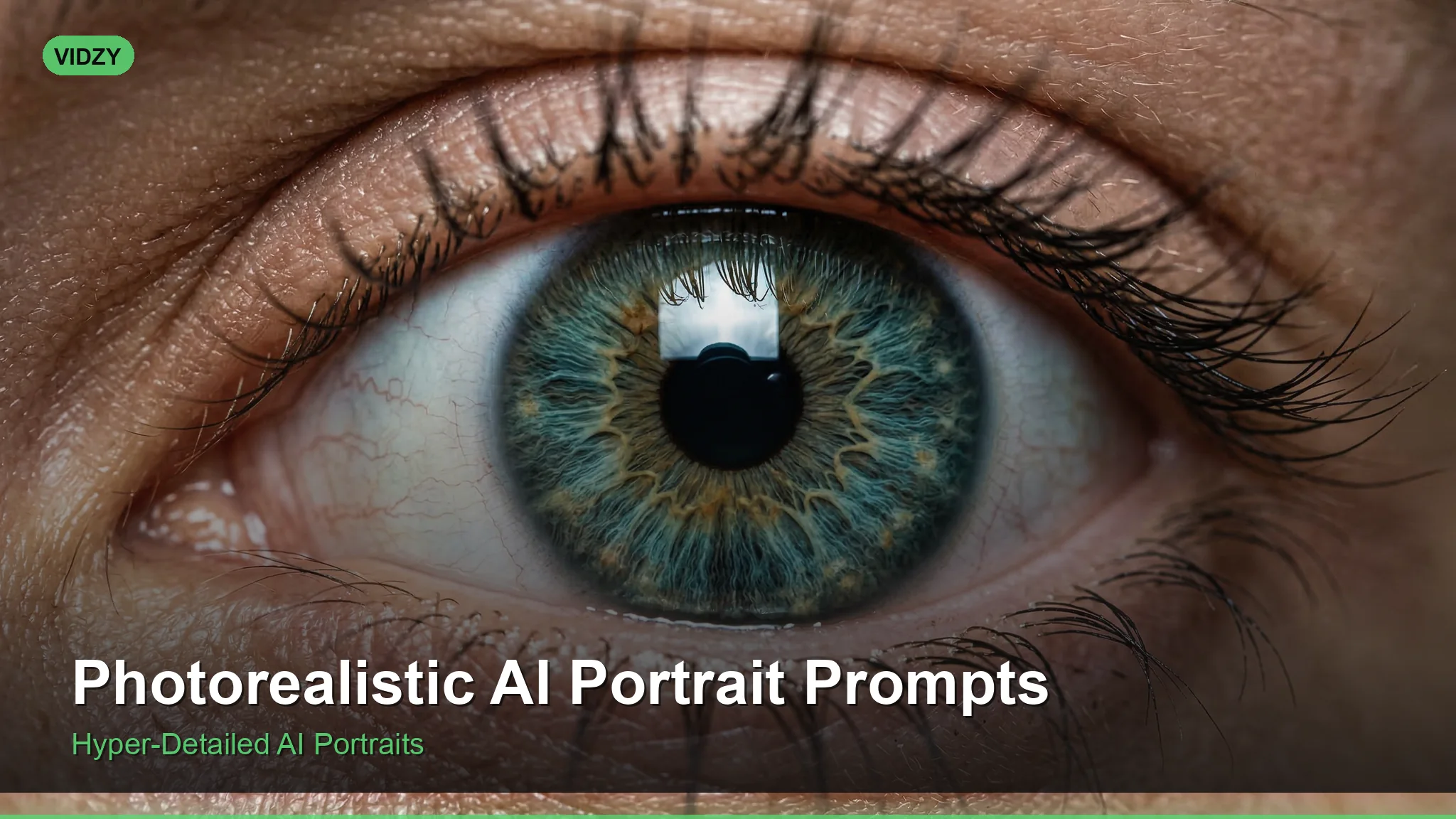
Eye detail: Eyes make or break a portrait. They need catchlights, natural iris detail, and appropriate moisture.
Prompt addition: “detailed eyes with visible catchlight from light source, natural iris color variation and texture, slight moisture reflection on eye surface, eyes in sharp focus as the focal point of the portrait”
Hair rendering: AI often struggles with individual hair strands. Being specific helps.
Prompt addition: “individual hair strands visible, natural hair movement and volume, light catching fine flyaway hairs at the edges, realistic hair texture and color depth with natural highlights”
Avoiding the uncanny valley: Several prompt techniques reduce the AI “tell”:
– Specify a real camera and lens (the AI has been trained on photos tagged with this metadata)
– Add “RAW photograph” or “unedited photograph” to push toward realism
– Include “natural and unposed” to avoid stiff, mannequin-like expressions
– Add a specific film stock simulation: “Kodak Portra 400 color rendering” or “Fujifilm Pro 400H tones”
Portrait Prompts for Specific Use Cases
Professional Headshots
Prompt: “Professional corporate headshot, person in business attire, approachable and confident expression, clean medium gray background, soft clamshell lighting setup with beauty dish above and reflector below, head and shoulders framing, shot on 85mm at f/4 for moderate depth of field, color-neutral white balance, suitable for LinkedIn and company website”
Creative and Artistic Portraits
Prompt: “Creative portrait with double exposure effect, person’s silhouette filled with a forest landscape, ethereal and dreamlike, fine art photography style, muted green and blue tones, medium format film aesthetic with subtle grain, conceptual and introspective mood, gallery-quality fine art print”
Character and Concept Art Portraits
Prompt: “Photorealistic character portrait, weathered explorer in their 50s, sun-darkened skin, silver-streaked hair wind-swept, wearing a worn leather jacket, warm golden hour sidelight, vast desert landscape blurred behind, determined and experienced expression, cinematic movie still quality, IMAX camera perspective”
For crafting detailed character descriptions or visual narratives around your portraits, our AI Prompt Generator can help you structure complex prompts that maintain consistency across multiple images.
Common Portrait Prompt Mistakes
Over-describing facial features: Specifying every feature in detail (“small nose, high cheekbones, almond-shaped green eyes, full lips, defined jawline”) often produces worse results than a general description. Let the model handle the details and focus your specificity on lighting and mood.
Ignoring background: A beautiful portrait on a cluttered or inappropriate background loses its impact. Always specify your background, even if it is simply “clean, softly blurred neutral background.”
Wrong lens focal length: Using wide-angle specifications (24mm, 35mm) for close-up portraits creates unflattering perspective distortion. Stick to 85mm and above for head-and-shoulders portraits. Use 50mm only for environmental portraits where you want more background context.
Flat lighting: Specifying “well-lit” or “bright lighting” often produces flat, unflattering results. Directional light with intentional shadows creates dimension, depth, and visual interest in a face.
Frequently Asked Questions
What AI model produces the most photorealistic portraits?
As , Flux consistently produces the most photorealistic human portraits, particularly when given detailed photography-specific prompts. Midjourney excels at stylized and artistic portraits. DALL-E performs well for creative concepts. The best choice depends on your specific use case and desired level of realism.
How do I get consistent faces across multiple AI portrait images?
Maintaining face consistency across multiple images is challenging with text-to-image models. Use image-to-image generation with a reference photo for best consistency. Some tools offer face-locking or character consistency features. Without these, keep your subject description and all technical details identical between prompts.
Can AI portraits be used for professional headshots?
AI-generated portraits should not be presented as actual photographs of real people for professional contexts like LinkedIn or company websites, as this would be misleading. They work well for illustrative purposes, stock photography replacement, creative projects, and concept visualization.
Why do my AI portraits look “waxy” or artificial?
The waxy look typically comes from over-smoothed skin and too-perfect features. Combat this by specifying “natural skin texture with visible pores,” “no skin smoothing,” and “authentic imperfections.” Also add film simulation references, which introduce subtle grain and color variation.
What is the best aspect ratio for AI portrait generation?
For headshots and close-ups: 4:5 vertical or 2:3 vertical. For environmental portraits: 3:2 horizontal or 16:9 widescreen. For full-body portraits: 2:3 vertical. Square (1:1) works for social media profile-style portraits.
Create Portraits That Pass the Realism Test
The craft ofphotorealistic AI portrait prompts comes down to speaking the language of photography. When you describe lighting setups, lens choices, film stocks, and composition the way a professional photographer would, AI models respond with images that embody those photographic qualities.
Start with the classic portrait templates above, experiment with different lighting setups, and pay attention to the small details — skin texture, eye catchlights, and hair rendering — that separate convincing portraits from obvious AI generations.
For your visual content that goes beyond static portraits, explore video creation with our AI Prompt Generator and make sure your content is sized correctly for every platform with our Video Size Guide.
![50 Best Nano Banana 2 Prompts for Stunning Images [2026]](https://getvidzy.com/wp-content/uploads/2026/03/nb2-featured-768x432.webp "50 Best Nano Banana 2 Prompts for Stunning Images [2026] 2")