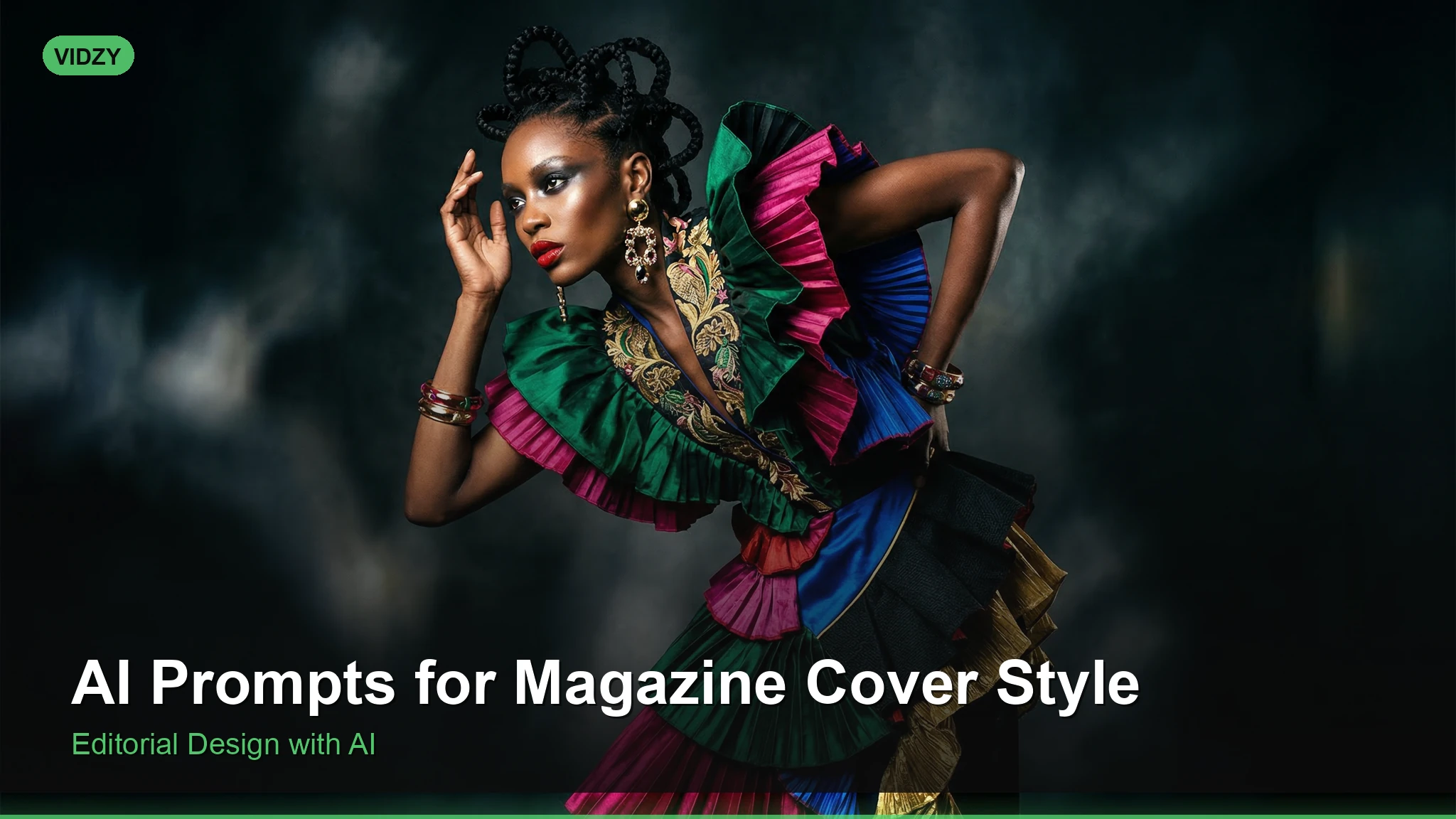
Create Stunning AI Magazine Cover Prompts That Look Publication-Ready
Magazine covers are among the most recognizable forms of visual media. They combine striking portraits, bold composition, and an unmistakable sense of editorial polish that immediately commands attention. With the rise of AI image generators like Flux, Midjourney, and Stable Diffusion, you can now create AI magazine cover prompts that produce images rivaling professional editorial photography — no studio, no lighting rig, no retoucher required.
Whether you’re a designer prototyping cover concepts, a content creator building a personal brand, or simply someone who loves experimenting with AI art, this guide will give you battle-tested prompts and techniques for generating magazine-quality cover images every single time.
Why AI Magazine Cover Prompts Are So Popular
Magazine covers follow a very specific visual language: dramatic lighting, shallow depth of field, confident subject posing, and a cinematic color grade. This makes them an ideal use case for AI image generation because the style is well-defined and extensively represented in training data.
Here’s what makes these prompts especially useful:
- Portfolio building — Create editorial-style portraits for your design portfolio without hiring models or photographers.
- Brand mockups — Prototype magazine or lookbook covers for pitches and presentations.
- Social media content — Eye-catching editorial images consistently outperform other visual formats on Instagram and Pinterest.
- Creative exploration — Experiment with lighting setups, fashion styles, and color palettes that would cost thousands in a real photoshoot.
Essential Elements of a Great Magazine Cover Prompt
Before diving into specific prompts, you need to understand what separates a generic portrait prompt from one that screams “magazine cover.” Every effective AI magazine cover prompt includes these components:
Subject description: Age, expression, gaze direction, and styling. Magazine covers almost always feature direct eye contact or a three-quarter profile.
Lighting specification: Rembrandt lighting, butterfly lighting, rim lighting, or dramatic split lighting. This is the single biggest factor that determines editorial quality.
Color palette and mood: Think muted earth tones for high fashion, vibrant saturated colors for pop culture, or monochromatic schemes for artistic covers.
Technical camera details: Lens focal length (85mm or 105mm for portraits), aperture (f/1.4 to f/2.8 for bokeh), and film stock references.
Composition cues: “Close-up,” “head and shoulders,” “centered composition,” and “negative space for text” are all critical for achieving the magazine cover look.
10 AI Magazine Cover Prompts Ready to Use
1. Classic Vogue-Style Fashion Cover
A stunning close-up portrait of a woman with sculpted cheekbones and a confident gaze, wearing a draped silk blouse in emerald green, Rembrandt lighting with a soft fill, shallow depth of field, shot on 85mm f/1.4 lens, muted warm tones, editorial fashion photography, Vogue magazine cover style, studio background with subtle gradient, ultra-high resolution
2. Men’s Health Athletic Cover
Athletic man in his 30s, dramatic side lighting highlighting muscular definition, wearing a fitted charcoal henley shirt, intense focused expression, clean dark background, shot with medium format camera, crisp detail, strong jawline, fitness magazine cover photography, professional studio lighting with rim light accent
3. Vintage 1970s Rolling Stone
Portrait of a rock musician with tousled hair and leather jacket, warm golden hour lighting, Kodachrome film grain, vintage 1970s editorial photography, slightly desaturated reds and oranges, candid expression with half-smile, shallow depth of field, 50mm lens perspective, Rolling Stone magazine aesthetic
4. High Fashion Avant-Garde
Avant-garde fashion portrait, model wearing an architectural headpiece made of folded white paper, stark contrast lighting, pure white background, minimal makeup with bold geometric eyeliner, shot from slightly below, otherworldly and ethereal mood, high-end editorial fashion magazine cover, 8K resolution
5. Tech Entrepreneur Cover
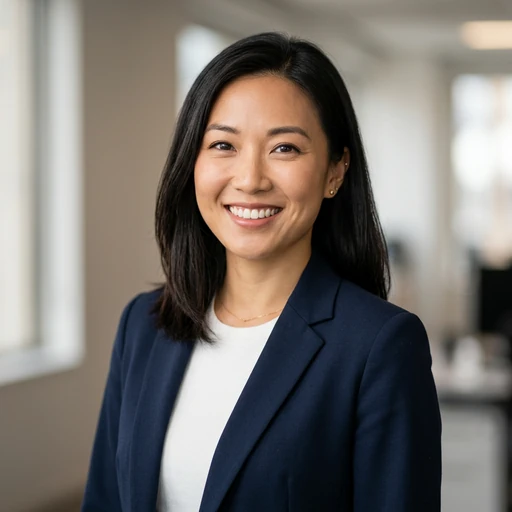
Professional headshot of a tech entrepreneur in a tailored navy suit, confident smile, modern office with floor-to-ceiling windows in background softly blurred, natural window light mixed with subtle fill flash, Forbes or Wired magazine style, clean sharp focus on eyes, 105mm portrait lens, contemporary business editorial photography
6. Beauty and Skincare Close-Up
Extreme close-up beauty portrait, flawless dewy skin, soft butterfly lighting with catch lights in eyes, neutral nude lip, minimal jewelry, clean cream background, shot on macro portrait lens, beauty magazine cover for Allure or Elle, hyper-detailed skin texture, soft diffused lighting, 4K
7. Moody Noir Editorial
Film noir inspired portrait, dramatic chiaroscuro lighting, subject in a dark turtleneck looking slightly off-camera, black and white with deep shadows and bright highlights, cigarette smoke wisps optional, grainy Tri-X 400 film aesthetic, Esquire magazine noir cover, cinematic composition with negative space on top for text
8. Outdoor Adventure Cover
Rugged adventurer at golden hour on a mountain summit, windswept hair, wearing a weathered canvas jacket, warm directional sunlight creating long shadows, epic landscape softly blurred in background, National Geographic cover style, rich earth tones, environmental portrait, 70-200mm telephoto compression
9. Pop Culture Maximalist
Bold colorful portrait with vibrant pop art background in neon pink and electric blue, subject wearing oversized sunglasses and chunky gold jewelry, playful expression, ring flash lighting creating flat even exposure, saturated colors, Cosmopolitan or Nylon magazine cover aesthetic, fun and energetic mood, Y2K inspired styling
10. Luxury Lifestyle Cover
Sophisticated woman in a penthouse setting, wearing a tailored cream blazer, leaning against a marble counter, warm ambient lighting from designer lamps, champagne tones and soft gold accents, shot on Hasselblad medium format, razor-sharp focus, luxury lifestyle magazine cover, Architectural Digest meets Harper’s Bazaar
Pro Tips for Perfecting Your Magazine Cover Prompts
Add “negative space for text” or “space at top for masthead” to your prompts. Real magazine covers need room for headlines and logos. This single addition dramatically improves the authenticity of your results.
Specify a named lighting pattern. “Rembrandt lighting,” “butterfly lighting,” “clamshell lighting,” and “broad lighting” are all terms that AI models understand well. Generic “good lighting” gives generic results.
Reference specific lens focal lengths. Saying “85mm f/1.4” doesn’t just add bokeh — it tells the model to use the compression and perspective distortion characteristic of portrait lenses.
Use film stock references for mood. “Kodak Portra 400” gives warm, creamy skin tones. “Fujifilm Pro 400H” adds cool pastel undertones. “Ilford HP5” delivers gritty black and white. These references work remarkably well in most AI generators.
Iterate on expressions. The difference between a “confident gaze” and a “contemplative look” can completely change whether your image feels like a Vogue cover or a National Geographic portrait. Be intentional.
Best AI Tools for Magazine Cover Generation
Not all AI image generators handle editorial portraiture equally. Here’s what works best:
- Flux Pro — Excellent at photorealistic portraits with accurate lighting. Handles complex prompts about studio setups very well.
- Midjourney v6 — Arguably the best at aesthetic composition and “that magazine feel.” Naturally gravitates toward polished, editorial looks.
- Stable Diffusion XL (with realistic models) — Maximum control when paired with ControlNet for pose guidance. Best for batch generation and iteration.
- Vidzy’s AI Prompt Generator — Helps you structure complex magazine cover prompts with the right technical parameters included automatically.
Common Mistakes to Avoid
Overloading the prompt with contradictory styles. Don’t ask for “vintage film grain, ultra-sharp 8K resolution, soft dreamy glow, and hyper-detailed skin pores” in the same prompt. Pick a cohesive aesthetic direction and commit to it.
Forgetting about composition. Adding “centered composition” or “rule of thirds” explicitly helps the AI understand spatial arrangement, which is critical for covers.
Ignoring the background. A busy background ruins the magazine cover illusion. Always specify “clean studio background,” “subtle gradient,” or “softly blurred environment” to keep the focus on your subject.
Frequently Asked Questions
What resolution should I generate magazine cover images at?
For the most realistic results, generate at the highest resolution your tool supports. Most magazine covers use a portrait aspect ratio — try 2:3 or 3:4. In Flux or Midjourney, you can specify this directly. At minimum, aim for 1024×1536 pixels and upscale from there if needed.
Can I use AI-generated magazine covers commercially?
It depends on the tool’s license. Midjourney, Flux, and DALL-E generally allow commercial use of generated images on paid plans. However, if your image closely resembles a real person, there may be likeness rights concerns. Always check the specific platform’s terms before using images commercially.
How do I add text overlays to make it look like a real magazine?
AI generators aren’t reliable for text. Generate your cover image with space for text (include “negative space at top for masthead” in your prompt), then add headlines and mastheads using Canva, Photoshop, or Figma. This two-step workflow produces the most convincing results.
Which AI model is best for photorealistic magazine covers?
For pure photorealism, Flux Pro and Midjourney v6 lead the field. If you want maximum control over pose and composition, Stable Diffusion XL with ControlNet is the power-user choice. For quick and accessible results, try Vidzy’s AI image generator which uses Flux under the hood.
Start Creating Your Magazine Covers Today
The gap between AI-generated imagery and professional editorial photography shrinks with every model update. With the right AI magazine cover prompts — the kind that specify lighting, lens, mood, and composition — you can produce images that genuinely pass for studio-shot covers.
Take any of the ten prompts above, paste them into your favorite AI image generator, and start iterating. Change the lighting, swap the color palette, adjust the expression. Each variation teaches you something new about how these models interpret editorial photography language.
Ready to generate your first magazine cover? Try Vidzy’s free AI Prompt Generator to build perfectly structured prompts in seconds — no prompt engineering expertise required.